
Email Deliverability Testing Guide (Expert Tips Inside)

Here’s a shocking stat – one in every six emails fails to land in the inbox. Email deliverability testing plays a vital role for businesses aiming to reach their audience effectively.
What Do Email Deliverability Testing Tools Do?
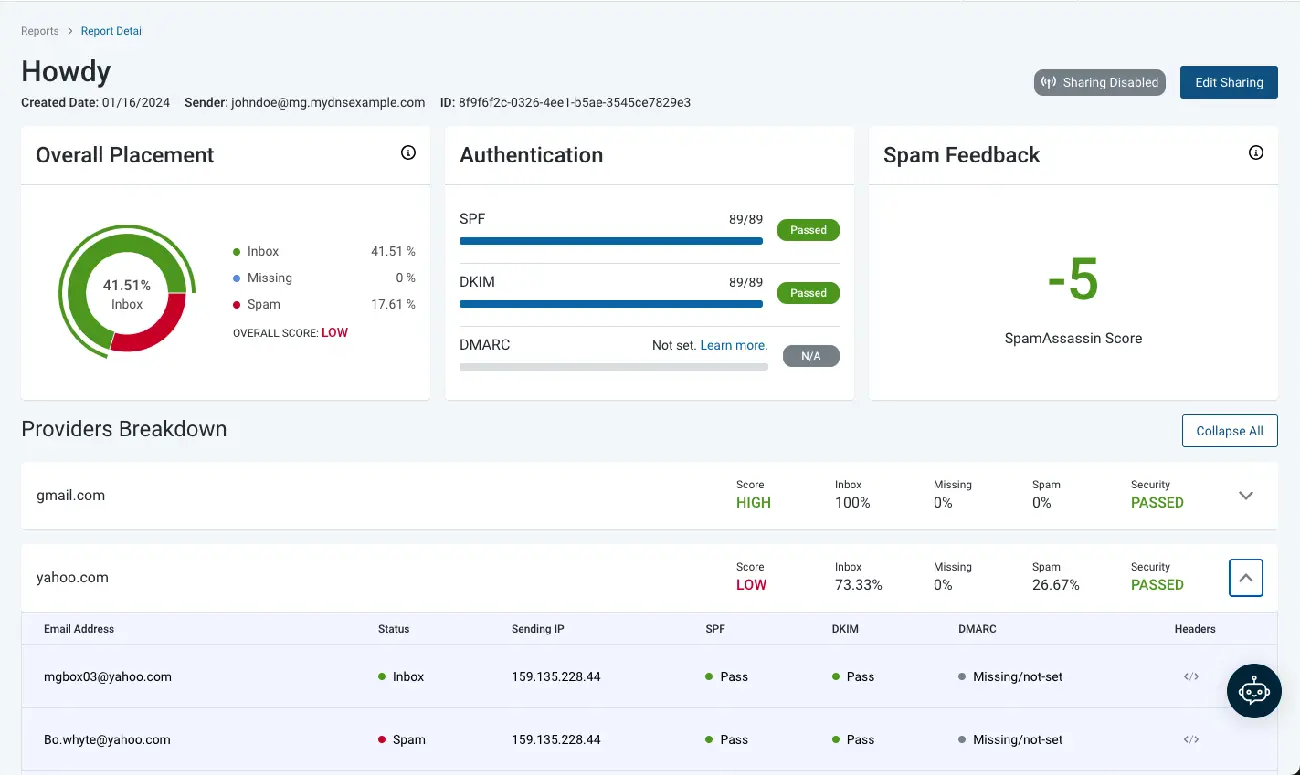
Image Source: Email Tool Tester
Email deliverability testing tools work as your early warning system against obstacles that can stop your messages from reaching recipient inboxes. These tools show you what happens to your emails after you hit “send” and help spot problems before they affect your campaigns.
Key functions explained
Email deliverability tools use two main testing approaches that work together to show your email performance:
- Pre-send testing: These functions spot potential deliverability risks before you launch your campaign. They analyze authentication configurations, check for spam-triggering content, and make sure your domain isn’t on any blocklists. Fixing these problems early boosts your chances of reaching the inbox.
- Post-send monitoring: These features track where your emails land after sending. They give you data about inbox placement in different providers and show if messages reach inboxes or end up in spam folders.
These deliverability testing tools do several important jobs. They assess your sender reputation carefully, a factor email service providers use to decide if your emails deserve inbox placement. The tools keep an eye on your domain against more than 50 industry blocklists to keep your reputation clean.
The tools confirm your email authentication setup and check if your SPF, DKIM, and DMARC records are set up right. This process proves to ISPs that you’re really who you say you are, which makes you trustworthy to send email.
The tools also look at your content in detail. They look for spam triggers in subject lines and message body, check image-to-text ratios, look at link integrity, and make sure your HTML looks good across email clients. Email marketers who say their programs work well are 22% more likely to keep track of their deliverability or inbox placement.
Many of these tools use seed list testing, they send your email to test addresses in email providers of all types. This test shows exactly how your emails do with different ISPs and reveals if they land in the main inbox, promotions tab, or spam folder.
How they help improve campaigns
Deliverability testing does way more than just technical checks. These tools help make email marketing campaigns better in several ways.
Better email open rates top the list. Your messages are more likely to reach inboxes instead of spam folders, which means recipients will see and interact with your content. Inbox providers look at engagement metrics like opens and clicks to decide if messages are spam, which creates a positive cycle for future deliverability.
These tools give you a full picture of campaign performance through detailed analytics. You can see exactly how many people opened each message and what they did next. This detailed information helps you make future campaigns better.
The tools protect your sender reputation, your most valuable email marketing asset. They spot potential problems early and help maintain good standing that ensures your emails reach inboxes reliably. This matters because your emails might get blocked, sent to spam, or rejected by mail servers if your domain or server IP shows up on blocklists.
Email deliverability testing tools help you group your audience better. You can spot which subscribers regularly read your content and which don’t, letting you create more targeted campaigns. This grouping lets you send relevant messages to each subscriber group, which improves engagement rates and makes deliverability better.
These tools become your partner in getting the best ROI from email marketing. They help you avoid common mistakes like using spam trigger words, writing misleading subject lines, or sending at the wrong times. This makes your current campaigns work better and strengthens your email program’s future.
Email deliverability testing tools reshape what used to be a mysterious “black box” part of marketing into something you can measure and control. They show you what’s happening, explain why, and tell you what to do next, making them essential for any serious email marketing strategy.
Types of Email Deliverability Testing Tools
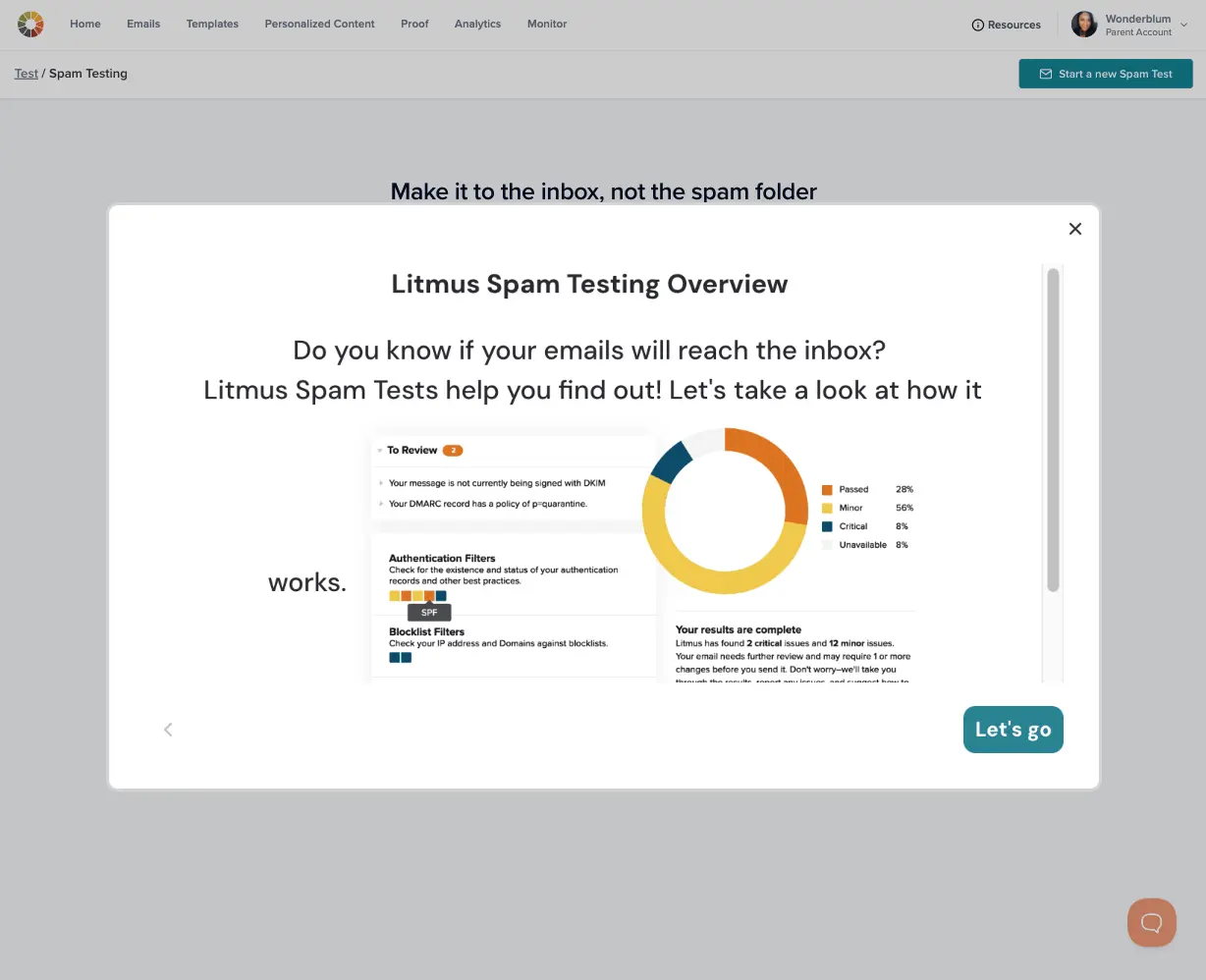
Image Source: Litmus
Email deliverability testing tools come in different categories. You need to pick the right ones that match your needs. Each tool type plays its own part in making sure emails reach their destination.
Seed list testing tools
Seed list testing tools show you where your emails end up after you hit send. These tools work by sending test emails to a list of monitored email addresses (seeds). The seeds are spread out among email providers like Gmail, Yahoo, Outlook, and others.
Regular email tracking can’t match what seed testing does. It shows exactly where your message lands – the primary inbox, promotions tab, spam folder, or if it gets lost along the way. This matters because emails land differently in each provider’s inbox.
GlockApps tests seeds in more than 70 accounts at major ISPs to track email placement. MailReach gives unbiased results by testing emails through multiple addresses instead of just one.
Seed testing shines when it helps you figure out why messages don’t perform well. Your test emails might always end up in spam folders with certain providers. This points to specific issues you need to fix.
The experts say you should run seed tests at least weekly. Testing before and after big email campaigns gives you the best view of how your reputation changes.
Spam filter testing tools
Spam filter testing tools check your email content against common spam filters. They predict if your messages will trigger spam alerts. These tools look at subject lines, body content, HTML code, image-to-text ratios, and link quality.
Popular tools check your messages against well-known spam filters like SpamAssassin. It gives scores from 0-10 to show how likely an email is spam. You’ll know exactly what might trigger spam filters before sending to your real list.
Mailgenius looks deep into your HTML code. It makes sure you follow best practices for Gmail, Outlook, and Apple Mail. SendForensics uses AI tests to find hidden problems that could hurt deliverability, including non-compliant cookies.
These tools do more than just analyze content. They tell you exactly what to fix:
- Spam trigger words and phrases
- Suspicious link structures
- Unbalanced text-to-image ratios
- Non-compliant HTML code
Making these fixes before sending gives your emails a better chance of reaching the inbox.
Authentication validation tools
Authentication validation tools check and improve your email’s technical setup. They make sure your emails have the right authentication protocols. This proves you’re a legitimate sender.
These tools look at three main authentication methods:
- SPF (Sender Policy Framework): Makes sure email servers can send from your domain and stops spoofing.
- DKIM (DomainKeys Identified Mail): Adds a digital signature to show emails haven’t been changed during delivery.
- DMARC (Domain-based Message Authentication, Reporting & Conformance): Watches SPF/DKIM alignment and tells email providers what to do when authentication fails.
MxToolbox gives complete authentication validation. It helps set up these technical parts correctly. Good authentication matters more than ever. Gmail and Yahoo started stricter rules in 2024. Gmail handles more than 72% of consumer email accounts.
Advanced tools like GlockApps do even more. They process DMARC reports and show analytics about domain usage, sending sources, and authentication results. This helps keep your sender reputation strong and stops delivery problems before they start.
Using all three tool types creates a complete system. You can test, watch, and improve your email deliverability from start to finish – from technical setup to content creation to final delivery.
How to Choose the Best Email Deliverability Testing Tool
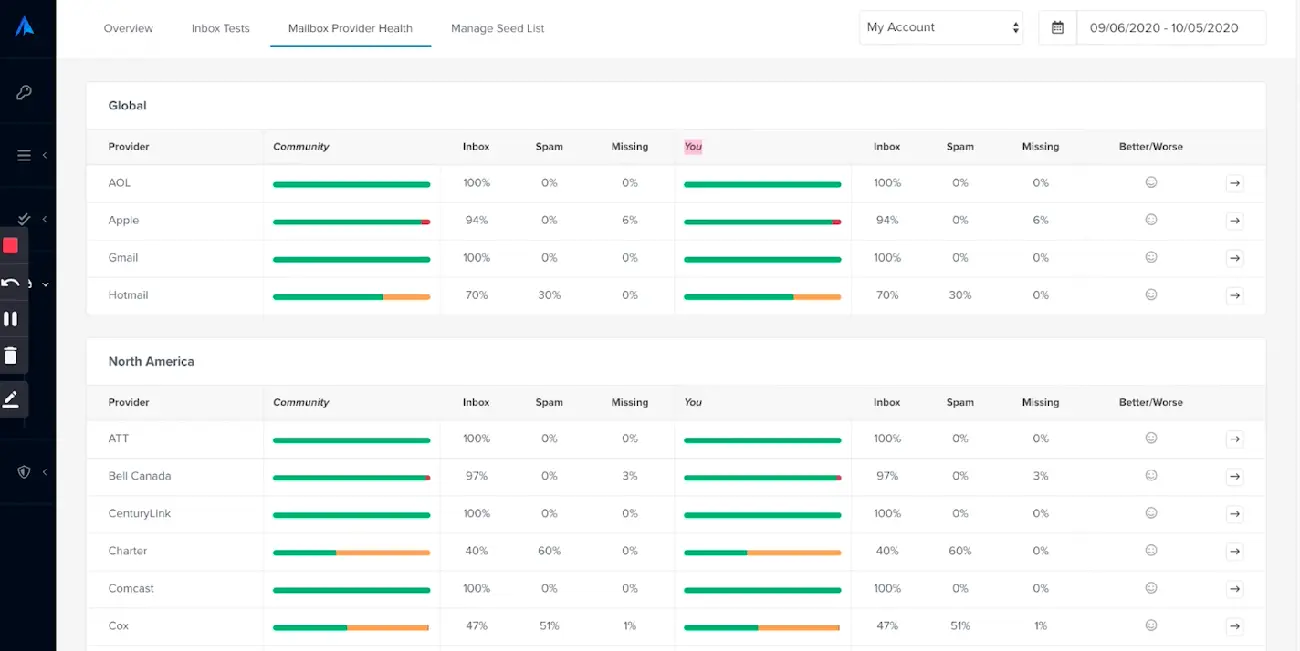
Image Source: Email Tool Tester
Choosing the right email deliverability testing tool depends on your business needs and goals. The market offers many options. You need to know what features matter most to get the best return on investment while solving your deliverability challenges.
Factors to consider
Your business size and email volume should guide your original selection process. Small businesses that send fewer emails (under 10,000 emails monthly) do well with shared IP addresses and simple features. Enterprise brands need dedicated IPs, immediate analytics, and custom integrations.
Authentication capabilities are must-have features in any deliverability tool. You need detailed support for SPF, DKIM, and DMARC validation, these protocols prove your legitimacy to email providers. You should also assess if the tool gives you immediate bounce management and list validation features that keep recipient lists clean.
Your tool must be compatible with other systems. It needs to work naturally with your email setup, from Gmail or Outlook to your email automation platforms and CRM systems. Even the most powerful features become useless if the tools don’t work together.
Today’s regulatory environment makes compliance features crucial. Good tools should handle GDPR and CAN-SPAM compliance automatically. This includes managing unsubscribe requests and tracking consent. These features protect your business from legal issues.
Here are more points to think about when making your choice:
- Email deliverability expertise – Does the provider know the ever-changing deliverability world well?
- Support quality – Can you reach a dedicated support team when issues come up?
- Ongoing monitoring – Does the tool track metrics like bounce rates, spam complaints, and engagement stats continuously?
- Ease of use – Can you understand and use deliverability insights quickly without much training?
Make a comparison table of features and pricing to evaluate solutions methodically. Read user reviews that mention specific benefits or problems. Look for common themes that might show hidden issues or consistent advantages.
Free vs paid options
Free and paid email deliverability tools differ mainly in their features and limits. Free versions give you basic features but limit your tests or monitoring volume. GlockApps offers two free spam tests monthly and basic DMARC analytics for 10,000 emails. MxToolbox lets you do free lookups but limits domain monitoring.
Paid solutions cost money but give you more features. You get thorough reporting, detailed analytics, and advanced monitoring. Monthly subscription costs range from $30-$400 based on what’s included. Some services charge based on email volume or number of mailboxes.
Start by identifying your specific deliverability challenges before choosing between free and paid options. Ask yourself what problems you face and what you want to achieve. These answers help you decide if free tools are enough or if paid features are worth it.
Small businesses or those just starting with deliverability often find free tools helpful enough. As your email program grows more complex, paid tools usually prove their worth. Email marketing remains one of the best ways to get returns on your marketing investment.
Price matters, but value should be your priority when deciding. A tool that costs more but gets your emails to inboxes more often inbox placement rates is better than a cheaper one that misses important deliverability problems. Pick a solution that fixes your specific problems and helps reach your business goals.
Step-by-Step: Running a Deliverability Test with a Tool
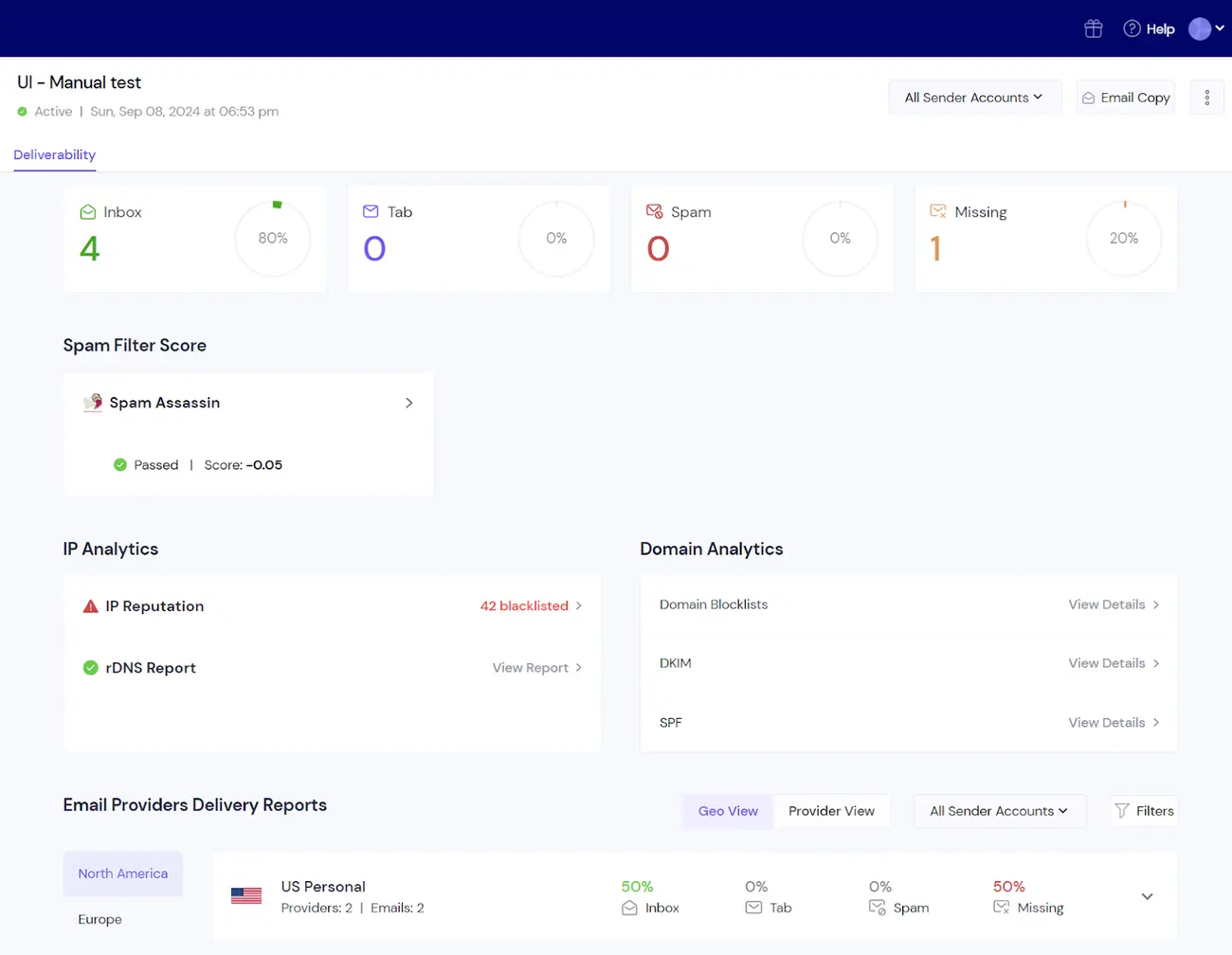
Image Source: Smartlead
Your first email deliverability test might look technical, but a well-laid-out approach makes everything easier. Here’s a simple breakdown that will help you learn about your email performance and get actionable results.
Setting up your test
The right testing tool makes all the difference based on what you need. Several deliverability platforms give you free options that are a great way to get started. Here’s what you need to do:
- Sign up with your preferred testing service (like Mailtrap, GlockApps, or MxToolbox)
- Find the email testing or deliverability section in the platform
- Pick the domain you want to track if you use multiple sending domains
- Set up authentication monitoring to check your SPF, DKIM, and DMARC protocols
- Put your seed testing addresses in your regular subscriber lists when using a seed-based tool
The aspect of deliverability that matters most to you, whether it’s technical setup, content quality, or inbox placement, will guide which tests you should focus on.
Sending your test email
The test environment setup leads to sending your test message. Each tool works a bit differently:
Content and spam filter testing needs you to:
- Write an email that looks like your usual marketing message
- Send it to the special testing address your tool gives you
- To name just one example, MxToolbox wants you to send your test to ping@tools.mxtoolbox.com
- Mailtrap’s sandbox needs their SMTP credentials in your sending script
Seed list testing requires you to:
- Build a segment that matches your test conditions (like Gmail addresses)
- Add another rule for engaged users who “have opened an email at least once within the last 12 months”
- Send your campaign to this specific group
Note that your tests should mirror real-life conditions. Your actual email templates and content will give you the most accurate picture of what your subscribers see.
Looking at your original results
The test results show up in a detailed report that covers several key points:
- Inbox placement results: Shows where emails end up across providers, primary inbox, promotions tab, or spam folder
- Authentication status: That indicates if SPF, DKIM, and DMARC work correctly
- Spam score analysis: Gives you a number that shows how likely spam filters will catch your email
- Content evaluation: Spots possible spam triggers in subject lines, content, or HTML
- IP and domain reputation: Shows any blocklists that might hurt your delivery
Gmail, Yahoo, and Outlook’s results deserve extra attention since they filter emails differently. The tool’s specific suggestions about HTML fixes or authentication updates also matter.
Patterns in your results often reveal bigger issues. Your Gmail placement might differ from Yahoo’s results, which points to provider-specific setup problems instead of content issues.
The core team should run these tests regularly after fixing the initial problems. Expert advice suggests weekly testing as the bare minimum to keep deliverability at its best.
Top Free Email Deliverability Testing Tools to Try
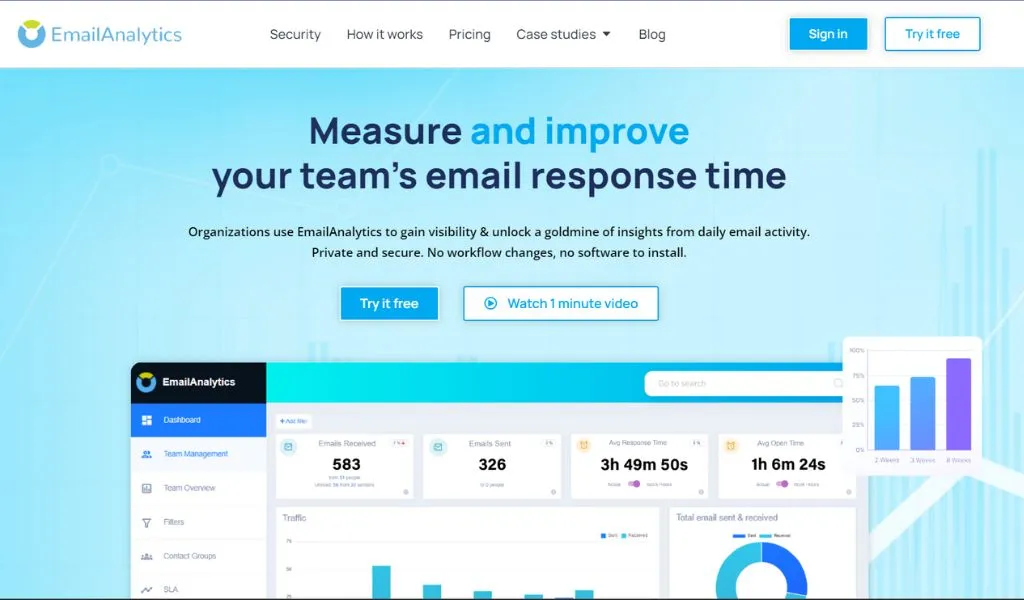
Image Source: Clearout
Want to test your email deliverability without spending money? You’ll find several great free tools that can help you spot common delivery issues and get more emails into inboxes.
Overview of free tools
Google Postmaster Tools is a must-have resource if you send emails to Gmail users. This simple platform shows how your emails perform with Gmail recipients. You’ll learn about spam rates, your domain’s reputation, and authentication status including SPF, DKIM, and DMARC records. Setup is easy – just add a TXT record to your domain to prove ownership.
MailGenius gives you a user-focused, web-based spam checker that spots delivery issues quickly. The process is simple. Copy the email address shown on screen, send your test email there, and check your results. MailGenius looks at more than just spam testing – it checks authentication protocols, domain age, broken links, and helps optimize subject lines.
GlockApps (free tier) lets you run two spam tests each month. This popular tool helps marketers see where their emails land and how spam filters react at major ISPs. It gives you a spam score using filters like Google, Barracuda, and SpamAssassin, plus a detailed content breakdown.
Mail Tester gives quick feedback with little effort. Send your email to their address and get a score out of ten, with ratings for authentication, blocklist status, and link checking. You’ll also get specific tips to improve delivery, like adding List-Unsubscribe headers.
MxToolbox has simple email delivery testing where you send a test message to their system. They look at headers, your outbound IP address’s blacklist status, and SPF records to create a detailed report. The free version only monitors blacklists but gives IT pros valuable technical insights.
Pros and cons of each
Google Postmaster Tools
Pros: Shows how Gmail sees your emails; tracks domain status in real time; costs nothing
Cons: Works only with Gmail; needs technical know-how; takes 24 hours to update reports
MailGenius
Pros: Fast, free spam checks; thorough authentication checks; no signup needed
Cons: Basic testing only; no automation; focuses more on technical than content issues
GlockApps (free tier)
Pros: Tests delivery at multiple ISPs; analyzes spam scores; suggests content improvements
Cons: Free plan has two spam tests; some features take time to learn; DMARC analytics stop at 10,000 emails
Mail Tester
Pros: Simple to use; quick feedback; suggests improvements
Cons: Simple features only; no bulk testing; little help with complex delivery issues
MxToolbox
Pros: Good technical checks; trusted name; helps with DNS and SMTP validation
Cons: Few free features; no live inbox testing; not built for marketing content help
You’ll get the best results by using these tools together since each one is good at different things. This gives you a complete picture of your email deliverability.
Advanced Features in Paid Deliverability Tools
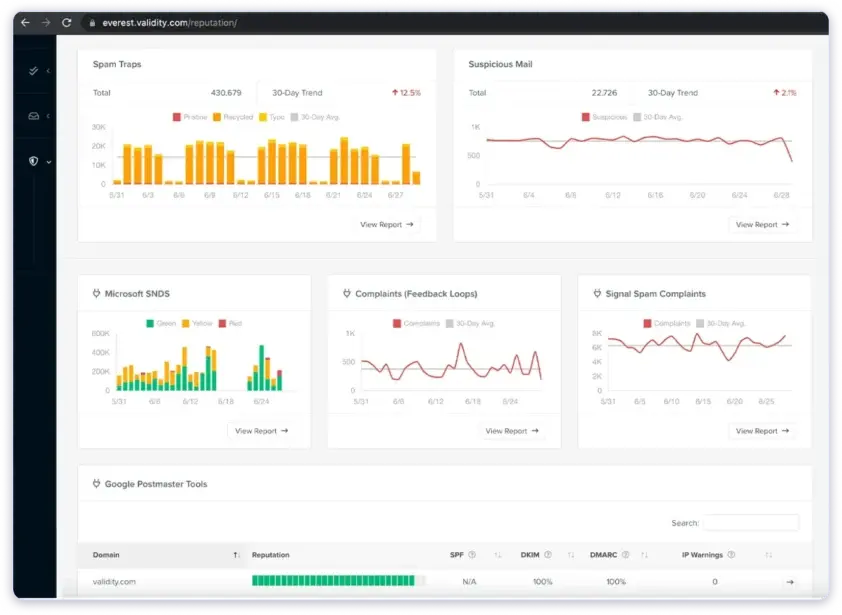
Image Source: Saleshandy
Paid email deliverability solutions revolutionize how businesses track and maintain their email performance, offering sophisticated features that go well beyond the simple testing capabilities of free tools. These advanced features protect your email program continuously instead of giving you one-time insights.
Real-time monitoring
Paid deliverability tools stand out with their non-stop oversight of your email program. These solutions track deliverability metrics right as they happen, unlike free tools. You’ll get instant alerts when performance drops. This helps you spot problems before they can hurt your campaigns.
Premium solutions have AI-driven analytics that use engagement data to make your emails perform better over time. TrulyInbox, to name just one example, stops sending emails automatically if it spots authentication problems. This quick action protects your sender reputation. Your domain stays safe from major deliverability issues.
Technical account managers come with some tools. They create email strategies that match your sending patterns and audience.
Blacklist monitoring
Paid tools excel at detailed blacklist monitoring. Leading solutions check your domain and IP addresses against 50+ industry blocklists all the time. Your dashboard lights up with alerts if your sending infrastructure ends up on any list.
Advanced tools shine with their fix-it support. Premium services give you direct links to each blacklist provider’s website when you get blacklisted. You can request removal quickly. This quick response cuts down delivery disruptions that might otherwise last for weeks.
Advanced monitoring looks at more than just blacklists:
- Spam trap hits that could hurt your reputation
- Complaint rates through feedback loops
- Domain and IP reputation scores with major ISPs
- Bounce classification by provider and category
Authentication checks (SPF, DKIM, DMARC)
Authentication monitoring stands out as a crucial feature in paid tools. These solutions check your SPF, DKIM, and DMARC setups every hour to make sure they work right. Many services turn DMARC reports into visual analytics instead of showing raw technical data.
Premium tools do more than just prove your setup is right. They track how many of your outgoing emails pass authentication checks. This constant verification keeps you compliant with strict provider rules, like those Gmail and Yahoo added recently.
Advanced tools guide you through fixes or even fix authentication issues automatically when problems pop up.
Common Issues Found During Testing and How to Fix Them
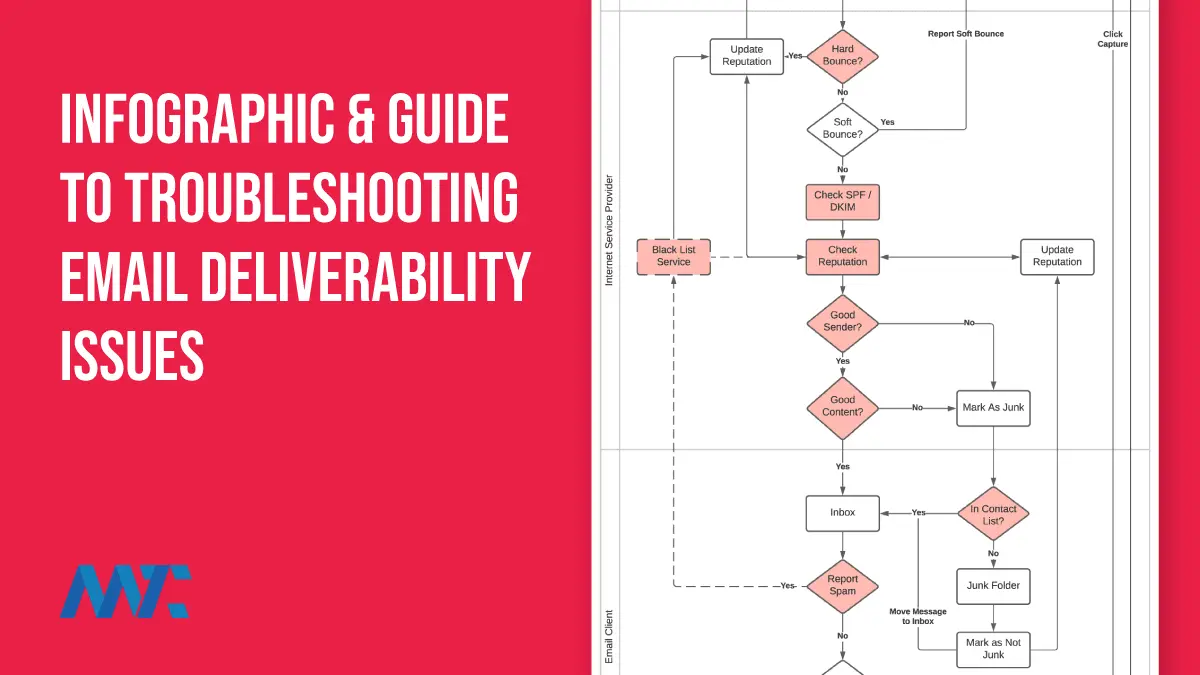
Image Source: Martech Zone
You’ll face several common problems that can stop your emails from reaching their destination, even with the best email deliverability testing tools. Here’s a look at these challenges and how to fix them.
Authentication failures
Email authentication problems show up often during deliverability testing, but they’re actually the easiest to fix. As of February 2024, Google and Yahoo require authentication protocols, which makes proper setup crucial.
Authentication fails in three main ways:
- Incomplete SPF records: Your emails won’t pass authentication checks and get filtered when your Sender Policy Framework doesn’t match your sending IP address.
- Failed DKIM signatures: Your DomainKeys Identified Mail setup doesn’t work right, which leaves your emails open to tampering while in transit.
- Missing or misconfigured DMARC: Recipient mail servers don’t know what to do with authentication failures without Domain-based Message Authentication, Reporting & Conformance.
The fix starts with verifying all three authentication records work correctly. Look for any conflicting records that might throw off recipient mail servers. You should also keep track of your email authentication status regularly, it’s not a one-time setup. For DKIM, you need to rotate your keys based on industry best practices to keep security tight.
Spam trigger words
Your emails might get flagged during testing because of content that sets off spam filters. In stark comparison to this common belief, modern spam filters don’t just look at specific words, they check content patterns, sender reputation, and how people interact with your emails.
Some language patterns still raise alarms. Spam filters often catch financial terms like “100% free,” “apply now,” and “bad credit”. Words like “buy now,” “limited time,” and “discount” also make your emails more likely to land in spam.
Health claims are particularly risky. Messages with “instant results,” “miracle cure,” or “weight loss” will get filtered almost every time. Messages about medications get extra attention because of all the pharmaceutical scams out there.
You can fix this by crafting your content carefully. Switch out problem words for better options, use “complimentary” or “no cost” instead of “free.” Take a look at your overall message tone and how promotional it sounds.
Poor sender reputation
Testing often reveals reputation issues that silently hurt your campaigns. Whether your emails reach inboxes or spam folders depends heavily on your sender’s reputation.
Your reputation takes hits from several things. High bounce rates show you’re not keeping your lists clean. Too many unsubscribes suggest you’re emailing people who never signed up, ISPs really don’t like that.
Low engagement (few opens and clicks) hurts your deliverability more than content problems. ISPs think your content is unwanted when subscribers ignore your messages consistently.
Start fixing reputation problems by cleaning up your email lists right away. Take off subscribers who haven’t opened anything in 6-12 months. Gmail users need special attention, consider removing them after 6 months of no activity. Keep engagement high by sending content people want to open and click.
Email Deliverability Best Practices for Long-Term Success
Image Source: Pipedrive
Email deliverability needs more than just fixing problems as they arise, you need consistent maintenance and good habits. These basic practices will help you avoid deliverability issues before they begin.
Maintaining list hygiene
A clean, active subscriber list serves as the foundation for successful email deliverability. Your reputation suffers when ISPs notice you repeatedly sending to inactive addresses. You should adopt these practices:
- Delete subscribers who haven’t opened emails in 6-12 months
- Set up a sunset policy that defines when inactive subscribers get removed automatically
- Use double opt-in for new subscribers to confirm their interest and email validity
- Stay away from purchased email lists, ISPs often plant spam traps in them to catch spammers
Your engagement metrics improve when you clean your list regularly. Mailbox providers prioritize senders with engaged audiences. This focused approach boosts opens and clicks, which creates better deliverability results.
Following sending schedules
Your sender reputation depends on how mailbox providers view your email volume and frequency patterns. Spammers blast irregular, high-volume emails, so consistent sending shows you’re legitimate.
The best time to send emails varies by industry standards. To name just one example, ecommerce emails work best on Wednesdays at 10:00 AM, while marketing services peak at 4:00 PM.
New domains or IPs need a slow increase in sending volume. This “warming up” builds trust with mailbox providers over 30-60 days. Sudden spikes in volume trigger spam alerts and hurt your reputation.
Keeping authentication updated
Major providers now require authentication, so your technical setup must stay current. Check these items regularly:
- SPF records align with all sending IPs and include new sending domains
- DKIM signatures stay valid (rotate keys periodically)
- DMARC policies monitor authentication results
The core team from IT and marketing should work together. This ensures technical staff knows about upcoming email campaigns and keeps authentication settings properly configured. This approach prevents issues when you launch new campaigns or switch email service providers.
Conclusion
Email Deliverability Testing: Your Path to Inbox Success
Email deliverability testing is the life-blood of successful email marketing campaigns. This piece shows how these specialized tools act as your early warning system against spam filters and other barriers that keep your messages from reaching recipient inboxes.
Getting your emails to land in the right place starts with knowing what matters most. Your authentication setup, content quality, and sender reputation all play crucial roles in determining whether your emails reach their destination or vanish into the digital world. Regular testing helps you spot these critical problems before they hurt your campaigns.
The quickest way to succeed combines several testing methods. Seed list testing shows where your emails land, spam filter analysis spots content problems, and authentication validation keeps your technical foundation strong. Clean subscriber lists and consistent sending schedules build the trust you need for lasting deliverability success.
Deliverability testing isn’t just a one-off task – it needs your ongoing attention. Simple changes to your email program can trigger problems when you least expect them. A regular testing schedule, whether weekly or monthly, gives you clear visibility to keep your inbox placement rates high.
Learn how to improve email deliverability with our expert-tested strategies and tools that have helped businesses achieve placement rates well above the prominent standard of 85-95%. Each email that lands in the inbox gives you another chance to connect with your audience and drive real results for your business.
The gap between good and great email performance comes down to deliverability. Your competitors’ messages might get stuck in spam folders, but your well-tested campaigns will reach their target consistently. This creates valuable chances to connect with your audience and boost your bottom line directly.
FAQs
Q1. What are the key components of email deliverability testing?
Email deliverability testing involves checking authentication protocols (SPF, DKIM, DMARC), analyzing content for spam triggers, monitoring sender reputation, and using seed lists to track inbox placement across different email providers.
Q2. How often should I conduct email deliverability tests?
Industry experts recommend conducting deliverability tests at least weekly. However, it’s advisable to test before and after significant email campaigns to gain optimal visibility into reputation changes and potential issues.
Q3. What’s the difference between free and paid email deliverability tools?
Free tools typically offer basic capabilities with limited tests or monitoring volume. Paid solutions provide more comprehensive features including detailed analytics, advanced monitoring, and often real-time alerts for deliverability issues.
Q4. How can I improve my email sender reputation?
To improve sender reputation, maintain a clean subscriber list by removing inactive contacts, follow consistent sending schedules, ensure proper authentication setup, and focus on creating engaging content that encourages opens and clicks.
Q5. What are some common spam trigger words to avoid in emails?
Common spam trigger words include phrases like “100% free,” “buy now,” “limited time,” and health-related claims such as “miracle cure” or “instant results.” It’s best to avoid overly promotional language and focus on value-driven content.

Builds the demand intelligence, automation, and deliverability systems behind Growleads pipeline.


