
Inbox Delivery: Tips from Email Deliverability Experts [2026 Guide]
Only 79.6% of legitimate emails make it to their destination, which means your most important email deliverability tips could vanish into the digital void before reaching your audience. The statistics tell a concerning story. Missing emails don’t just disappear, they take potential customers with them. Research shows that 3 out of 20 users struggle to access their accounts when important emails go missing, and many abandon platforms entirely. For large platforms, this loss scales dramatically, missing over 15,000 opportunities with millions of users.
A good email deliverability rate typically ranges between 85% and 95%. Achieving success requires more than just clicking send and hoping for the best. Your sender reputation is critical, as are authentication protocols like SPF and DKIM. Additionally, the structure of your email content plays a significant role in whether your messages land in inboxes or end up in spam folders.
Transactional emails tend to show better results than marketing emails, but both require careful planning to maximize delivery rates. When you apply email deliverability best practices, you’ll experience higher engagement rates and fewer bounces. Your email campaigns will benefit greatly from a complete email deliverability guide.
Now is the time to reshape your inbox placement strategy. Let’s tap into expert-backed strategies that will help you master email deliverability in 2025 and beyond, ensuring your messages reliably reach their targets.
Why Emails Miss the Inbox
Ever wonder why your carefully crafted emails disappear into the digital world? Your messages might never reach their intended readers despite your best efforts. Let’s get into what really kills email deliverability.
Spam complaints and blacklists
Recipients who mark your emails as junk create spam complaints that devastate your deliverability. A complaint rate that seems small can trigger big problems. The industry wants you to keep complaint rates under 0.1%, though many experts say staying close to 0.02% works best. Just one person clicking “report spam” in a batch of 1,000 emails puts you at a 0.1% complaint rate.
Gmail and Yahoo are 0.3% old with their complaint threshold [link_2] for senders who deliver over 5,000 messages daily. These limits can seriously affect your deliverability because mailbox providers quickly reassess your reputation when you cross them.
People flag emails as spam for several reasons:
- They don’t know your brand or forgot to sign up
- You send too many emails too often
- Content misses the mark or surprises them
- They can’t find how to unsubscribe
Each complaint makes you more likely to end up on a blocklist (blacklist). Email service providers and anti-spam organisations manage these databases to spot suspicious senders. A blocklist can automatically reject or filter your emails, whatever your content quality or recipient list.
Getting off blocklists ranges from tough to almost impossible, based on who listed you. One expert puts it simply: “Getting an email account off a spam blacklist is really tough”. Many times, you need to start over with new domains.
Poor sender reputation and engagement
Your sender reputation works just like a credit score for email marketing. Mailbox providers run complex calculations to check your sending practices and decide if your messages belong in the inbox. This score includes your domain reputation (your organization’s digital trust) and IP reputation (your recent sending behavior).
Low engagement metrics hurt your sender reputation badly. Mailbox providers see it as a red flag when recipients often delete your messages unread. Modern inboxes learn from what users do, so emails that get flagged usually face similar filtering later.
Email providers watch closely for:
- Open rates and click-through rates
- How often do people reply and forward
- Messages deleted without reading
- Spam complaints
- Bounce rates (should stay under 2%)
Emails from domains or IPs with a poor reputation face more filtering and reach fewer inboxes. A deliverability expert explains it well: “People who open, read, click, respond to, and forward your messages show mailbox providers your campaigns deserve the inbox”.
Bad reputation creates a nasty cycle. Emails landing in spam folders get seen less, engagement drops more, and deliverability gets worse. Breaking free requires you to improve both technical setup and content quality.
“A deliverability rate below 95% raises concerns,” one report states. Strong engagement metrics matter not just for marketing success but to ensure your messages actually reach people.
Fix Your Technical Setup First
Good email deliverability starts with the right technical setup. You need to fix these technical elements to boost your chances of reaching the inbox by a lot before you worry about content or how often you send.
Authenticate with SPF, DKIM, and DMARC
Email authentication works like your digital ID card and proves you’re really who you say you are. Setting up all three authentication protocols creates a strong defense against email spoofing and makes your sender reputation better.
SPF (Sender Policy Framework) lists which servers can send emails from your domain. Picture it as an employee directory that helps mailbox providers check if an email really comes from your domain. Receiver servers look up your SPF record to make sure the sending server has permission.
DKIM (DomainKeys Identified Mail) puts a digital signature on your emails. This signature proves two vital things: your domain actually sent the message and nobody changed it along the way. A deliverability expert puts it this way: “DKIM-signed messages provide Mailbox Providers with trust that the message is authentic.”
DMARC (Domain-based Message Authentication, Reporting & Conformance) builds on SPF and DKIM by telling receiving servers what to do with emails that fail checks. Your DMARC policy options are:
- Monitor mode (p=none): Collect data without affecting delivery
- Quarantine (p=quarantine): Send suspicious emails to spam
- Reject (p=reject): Block unauthenticated messages entirely
Latest data shows 53.8% of senders now use DMARC to back up authentication. On top of that, more than 66% of senders use both SPF and DKIM for better verification.
Best results come from setting up authentication in sequence: SPF first, then DKIM, and DMARC last. Start by monitoring, check the reports, and slowly increase enforcement once you know your legitimate emails are safe.
Choose between shared vs. dedicated IPs
Your pick between shared and dedicated IP addresses can really shape your deliverability, especially if you send high volumes.
Shared IPs group multiple senders on one IP address. This option makes sense for:
- Low-volume senders (under 100,000 emails monthly)
- New email programs that haven’t established patterns yet
- Businesses watching their budget
- Testing environments
The biggest plus? You get the benefits of other good senders’ reputation without extra work. An expert points out: “When using a reputable email service provider, shared IPs often come pre-warmed, allowing you to send immediately”.
Dedicated IPs give you an IP address all to yourself. This might be right for you if:
- You send over 100,000 emails monthly (some providers say 300,000+)
- You send consistent, high volumes
- Your emails are critical to your business (like transactional messages)
- You want full control of your sending reputation
Dedicated IPs need proper warming though, you’ll have to slowly increase volume to build reputation and send regularly to keep it strong.
Note that domain reputation grows more important as IPv4 addresses become scarce. One provider explains: “IP reputation will soon be a thing of the past, taking with it the main reason many senders prefer dedicated IPs”.
Improve Cold Email Deliverability
“Warm-up is crucial – Sending a sudden flood of emails will get you flagged. Gradually increase your email volume to build trust with inbox providers.”
, Luke Martinez, Email deliverability expert
Cold emails face unique deliverability hurdles that marketing messages don’t. Your outreach might end up in spam folders despite perfect content if you skip the right preparation. Let’s get into how you can set yourself up for a soaring win before sending those emails.
Warm up new domains before outreach
Planning cold outreach with a fresh domain? Take a pause before those first prospecting emails. Domain warming builds your sending reputation with email service providers through controlled, increasing volume.
Fresh domains need at least 24-48 hours of rest after purchase before any email activity. This original pause keeps spam filters from flagging sudden activity as suspicious.
The next step involves setting up proper authentication with SPF, DKIM, and DMARC before your first message. Receiving servers see this technical foundation as a sign of legitimacy.
Domain warming needs patience:
- Start small (under 50 emails daily)
- Your sending volume should grow over 2-4 weeks
- Keep sending patterns steady without spikes
- Focus on your most engaged contacts first
Note that brand reputation links directly to domain reputation. You might switch IPs often, but your domain’s reputation sticks around forever. One expert points out, “Using the domain for email communication immediately after acquisition may send warning signs to MBPs like Gmail and Yahoo”.
Automated warm-up tools like Warmup Inbox or Mailwarm can help you get better results. These services boost your sending volume steadily and create positive engagement signals through their networks of real email accounts.
Segment and personalize cold email lists
List segmentation improves cold email deliverability significantly. Your prospect list should be divided into specific groups based on shared traits instead of sending generic messages to everyone.
Segmentation brings several benefits:
- Relevance drives higher engagement rates
- Spam complaints drop significantly
- Emails land in inboxes more often
Your cold email lists can be split by industry, company size, job role, and buying behaviors. More precise segments lead to more relevant messaging.
One expert shares: “If you send the same email to all of these people, it won’t work. It will either feel like a template or be too generic to hit a feeling of relevance”. Narrow segments reduce message variability and allow meaningful personalization.
Personalization works best when you skip generic templates with minor tweaks. Research your recipients thoroughly and weave in specific details about their company or recent developments that naturally connect to your value proposition.
The combination of technical setup, domain warming, and list segmentation maximizes your cold email deliverability rates effectively.
Avoid Content Mistakes That Hurt Delivery
Your email might land in spam folders despite having a perfect technical setup and clean list. Smart design choices could determine whether your email reaches the inbox or goes straight to junk.
Don’t overuse links or images
Visual elements in your emails can substantially affect deliverability. The right balance matters more than you might think, even though creating image-heavy designs seems tempting.
Most email experts recommend a text-to-image ratio of 60% text to 40% images, while some providers like Mailchimp suggest a more conservative 80% text to 20% images approach. This balance helps because:
- Spam filters often flag image-only emails since spammers hide malicious code in images
- Email clients typically disable images by default
- Email providers can analyze text for legitimacy but can’t scan image content
“The most common guideline you’ll hear is no more than 40% image coverage and a minimum of 60% text,” notes Email on Acid. You should add descriptive alt text to any images you use. This gives context to recipients who have images disabled.
Too many links can also trigger spam filters. Email security experts warn against:
- Adding too many links in one message
- Using link shorteners like Bitly that hide the destination URL
- Creating misleading anchor text that doesn’t match the actual URL
- Adding links in your email signature (especially for cold outreach)
A simple example could trigger spam filters: “Please visit our website at www.example.com” where “www.example.com” links to “www.example.com/home”. This happens because the visible text doesn’t match the destination URL exactly.
Make unsubscribe links easy to find
Recipients will likely mark your emails as spam if they can’t opt out easily. These spam complaints can hurt your sender’s reputation and make future deliverability harder.
Clear unsubscribe options aren’t just good practice – they’re required by law. CAN-SPAM regulations state that:
- Every email needs a visible unsubscribe mechanism
- The unsubscribe link must work for at least 30 days after sending
- You must honor opt-out requests within 10 business days (sooner is better)
Your unsubscribe link should go in the email footer where recipients expect to find it. Gmail and Yahoo now require bulk senders to offer one-click unsubscribe and process requests within 2 days, starting in 2024.
Note that unsubscribes aren’t always bad, they beat spam complaints any day. A deliverability expert puts it well: “If people don’t want to hear from you anymore, let them go.” Some unsubscribes are normal and help maintain list quality.
Use Tools and Metrics to Stay Ahead
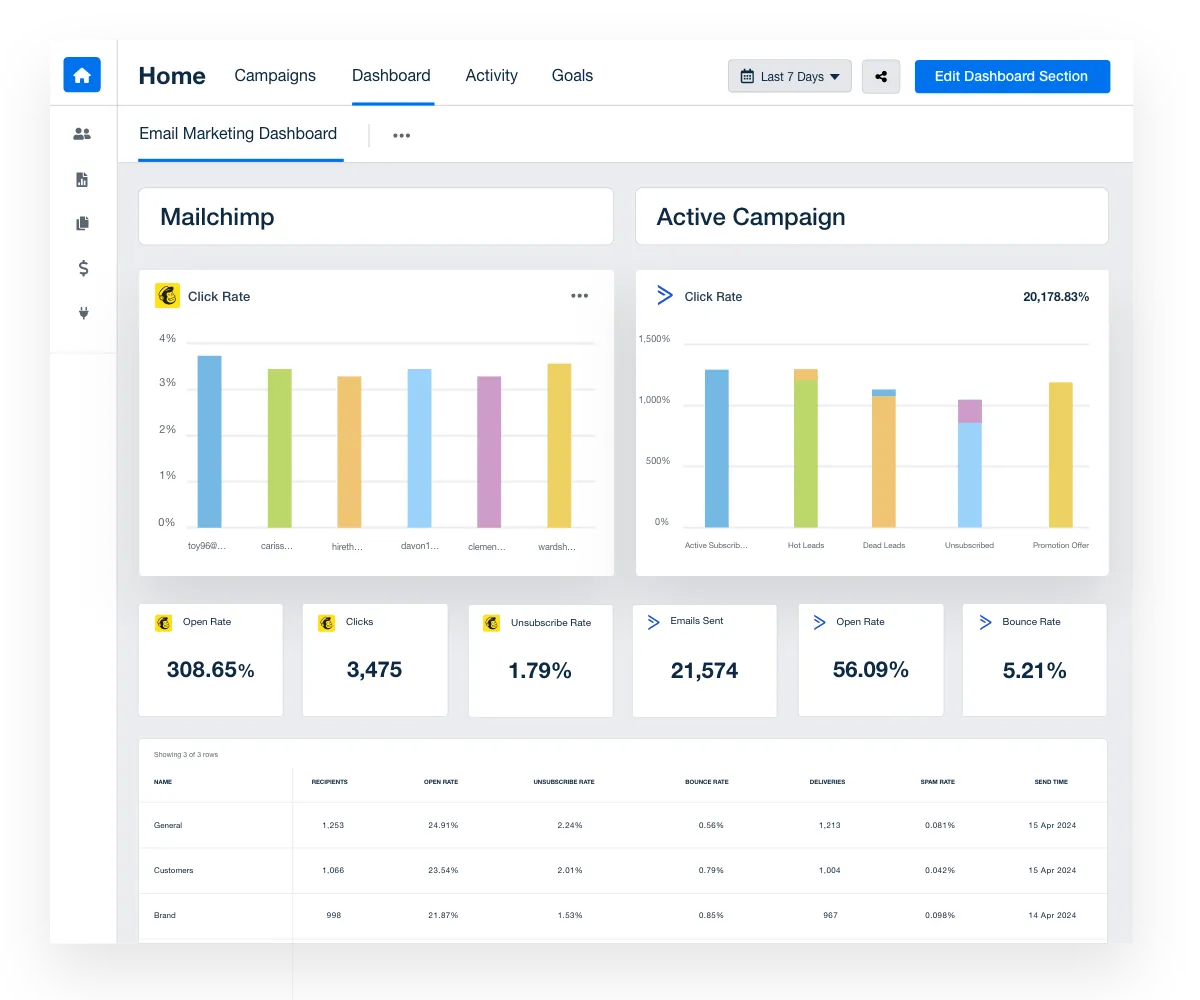
Image Source: AgencyAnalytics
“Avoid batch sending to inactive contacts – Instead of blasting your entire list at once, trickle in messages to lapsed contacts over time to avoid deliverability issues.”
, Luke Martinez, Email deliverability expert
Email performance metrics create a clear path to inbox success. Sending messages without tracking them is like shooting arrows in the dark – you won’t know where they land.
Track inbox placement and open rates
Inbox placement rate (IPR) shows what percentage of your delivered emails reach recipients’ inboxes instead of spam folders. This key metric shapes your campaign’s success because spam-filtered emails rarely see the light of day.
A good inbox placement rate should hit 90% or above. Your goal should be getting at least 90 emails into primary inboxes for every 100 you send.
IPR differs from delivery rate. Delivery rate counts emails accepted by receiving servers (spam folder included), while inbox placement focuses on emails that make it to the inbox folder.
The IPR calculation is simple: take the number of emails landing in inboxes, divide by total emails sent, multiply by 100. A rate of 95% means 95 out of 100 emails reached their intended inboxes.
Open rates still matter as a way to gage inbox placement, even with Apple’s Mail Privacy Protection in play. Your engagement tracking should include:
- Bounce rates (keep them under 2%)
- Spam complaint rates (stay below 0.08%)
- Click-through rates
- Conversion rates
Use tools like Mail-tester and Postmaster
Several tools can help you watch your delivery performance:
Mail-tester.com lets you assess your emails quickly and effectively. Just send a test message to their address and they’ll check your authentication, content, and server setup. You’ll get a score right away with tips to improve. This free tool shows what works and what needs attention in a detailed report.
Google Postmaster Tools are a great way to get insights about Gmail recipients. Once you prove you own the domain, you can see important metrics like:
- Spam rate (target below 0.10%)
- IP reputation
- Domain reputation
- Authentication results
- Delivery errors
The data appears in clear dashboards, but you need to send enough emails (usually over 100 daily) to see results.
Specialized tools like Everest by Validity or GlockApps offer complete delivery testing for multiple email providers. These services use “seed lists” – test email addresses across providers – to track your message delivery.
Regular tool checks help catch delivery problems early. This lets you fix issues before they hurt your campaigns.
Your Email Deliverability Checklist for 2025
Want to improve your inbox placement rates in 2025? This detailed checklist unites expert recommendations that help your emails reach recipients reliably.
First, secure your technical foundation:
- Implement all three authentication protocols: SPF, DKIM, and DMARC (at minimum with p=none policy)
- Think about upgrading to p=quarantine or p=reject DMARC policy to strengthen protection
- Keep one IP address for every two million emails sent daily
- Use different subdomains to separate marketing and transactional emails
Next, maintain pristine list quality:
- Clean your list monthly or more often (only 60% of senders do this regularly)
- Create sunset policies that remove unengaged subscribers
- Keep spam complaints under 0.1% (one complaint per 1,000 emails)
- Stay away from purchased email lists or scraped website contacts
Monitor your reputation carefully:
- Sign up for Google Postmaster Tools to learn about your reputation
- Check inbox placement with different providers
- Test emails with tools like Mail-tester.com before sending campaigns
- Check authentication settings regularly
Optimize sending patterns:
- Start new domains slowly before sending at full volume
- Stick to consistent sending schedules that build trust
- Send at least 200,000 emails monthly from dedicated IPs
- Follow a step-by-step ramp-up plan for new IPs
Perfect your content approach:
- Show both company and sender names in “From” fields
- Place unsubscribe links clearly and process requests within 2 days
- Use one-click unsubscribes with RFC 8058
- Keep text-to-image ratio balanced
Serious email senders should focus on these core practices. Most organizations overlook these basics, in fact, 78.5% of survey respondents rated deliverability importance as 8/10 or higher, yet 70% don’t use free reputation monitoring tools like Postmaster. Your systematic approach to each item will put you ahead of most senders who fail to optimize their email deliverability.
FAQs
Q1. What are the key factors affecting email deliverability in 2025?
The main factors include proper authentication (SPF, DKIM, DMARC), maintaining a good sender reputation, avoiding spam complaints, using appropriate content, and implementing proper list hygiene practices.
Q2. How can I improve my cold email deliverability?
To improve cold email deliverability, warm up new domains before outreach, segment and personalize your email lists, maintain consistent sending patterns, and use dedicated IPs for high-volume sending.
Q3. What’s the recommended text-to-image ratio for emails?
Most experts recommend a text-to-image ratio of 60% text to 40% images. This balance helps avoid triggering spam filters while still allowing for visual appeal.
Q4. How often should I clean my email list?
It’s recommended to conduct list hygiene at least monthly. Regular cleaning helps maintain a high-quality subscriber base and reduces the risk of spam complaints and bounces.
Q5. What tools can I use to monitor my email deliverability?
Useful tools for monitoring email deliverability include Mail-tester.com for pre-send tests, Google Postmaster Tools for Gmail-specific insights, and specialized services like Everest by Validity or GlockApps for comprehensive inbox placement testing across multiple email providers.

Builds the demand intelligence, automation, and deliverability systems behind Growleads pipeline.


