
AI Max Is Migrating Your Search Campaigns Right Now: A B2B Survival Guide
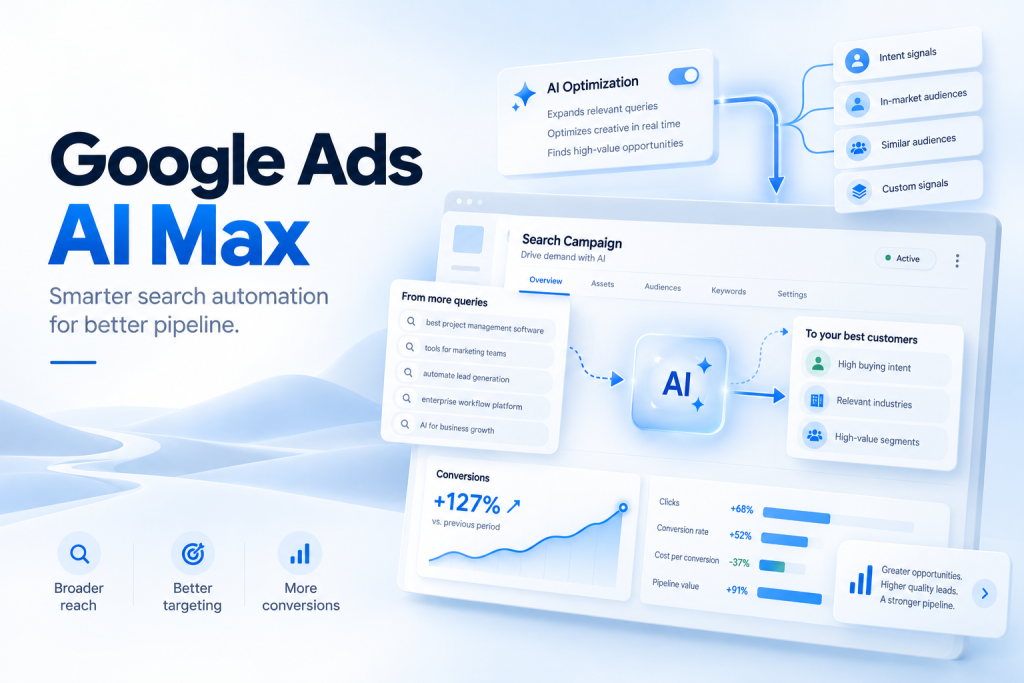
Google Ads AI Max migration is now underway for some existing Search campaigns. Starting in September 2026, Google is automatically upgrading campaigns that use automatically created assets or the campaign-level broad match setting. For B2B advertisers, the important question is not whether AI Max is good or bad. It is whether your conversion data, targeting controls and landing pages are ready for more automation.
Quick Answer: What Is Happening With Google Ads AI Max?
Google Ads AI Max is an optimization layer for Search campaigns. It expands how Google can match searches, generate ad copy and choose landing pages. It is not a new campaign type.
As of September 2026, Google is automatically moving two important legacy Search settings into AI Max:
| Existing Search campaign setting | What happens during migration |
|---|---|
| Automatically created assets, now called text customization | Campaign moves into AI Max with search term matching and text customization enabled |
| Campaign-level broad match setting | Campaign moves into AI Max with search term matching enabled |
| Dynamic Search Ads | Automatic migration has been delayed until February 2027 |
The Dynamic Search Ads distinction matters. Google originally planned to migrate DSA campaigns in September 2026 too, but later pushed that migration to February 2027. Automatically created assets and campaign-level broad match are still migrating from September 2026.
Google has said eligible September upgrades are expected to roll through the month. That means B2B advertisers should audit their Search campaigns now rather than assume the account will continue operating exactly as before.
The Biggest B2B Risk Is Not AI. It Is What AI Is Optimizing For
AI Max can widen targeting and adapt ads faster. That can be valuable.
But Google Ads ultimately learns from the conversion signals advertisers give it.
If your primary conversion is a form submission, Google has little reason to distinguish between:
- A procurement director from a target enterprise
- A student downloading a resource
- A company outside your service geography
- A tiny business that cannot afford your product
- A genuine sales opportunity worth six figures
All five can look like “one conversion” inside Google Ads if the measurement setup treats them equally.
That problem becomes more important when targeting expands.
For B2B companies, the first AI Max question should therefore be:
Are we teaching Google which leads actually create pipeline?
Before expanding Search automation, connect campaign performance as closely as possible to meaningful outcomes such as qualified meetings, opportunities and closed revenue.
Our guide to measuring B2B lead quality explains why lead volume alone can give teams the wrong picture.
AI Max with weak conversion data can become a faster way to acquire weak leads. AI Max with strong conversion feedback has a much better chance of finding valuable demand.
What Does Google Ads AI Max Actually Change?
AI Max combines several Google Search capabilities under one framework.
The two main areas are search term matching and asset optimization.
1. Search term matching expands beyond your keyword list
AI Max search term matching uses broad match, asset-based targeting and landing-page or keywordless technology to identify additional searches Google believes are relevant.
Google can use signals from your keywords, ads and website to decide whether a query is worth entering.
That changes the operating model.
Traditional Search management often starts with:
Keyword → Query → Ad → Landing page
AI Max can increasingly work from:
Buyer intent → Campaign context → Query interpretation → Ad → Landing page
Keywords still matter. Exact match still exists. Negative keywords still matter. But the keyword list is no longer the complete boundary around what an AI Max campaign can discover.
For B2B teams, this makes search-term governance more important, not less.
2. Text customization can generate new ad copy
Text customization is the new name for automatically created assets.
Google can use your landing pages, existing ads, keywords and other campaign context to produce additional headlines and descriptions. It combines extraction from existing content with generative AI.
This can improve relevance when buyers search using language you did not explicitly write into an RSA.
But it also means your website is becoming part of your advertising input.
Claims buried inside a product page, old positioning, outdated offers and unclear wording deserve more attention when Google can use site content to construct advertising messages.
3. Final URL expansion can select a different landing page
Final URL expansion allows Google to send the visitor to another relevant page on your domain when Google predicts that page is a better fit for the search.
It is enabled by default when advertisers manually opt into AI Max, although it can be switched off. Final URL expansion requires text customization.
This could be useful for a large B2B website with separate pages for industries, products, use cases and locations.
It can also be dangerous when the website contains pages that were never designed to convert paid traffic.
Think about:
- Old campaign pages
- Recruitment pages
- Investor pages
- Documentation
- Weak blog posts
- Partner pages
- Low-intent educational content
- Geographic pages for markets you do not actively sell into
If Final URL expansion is enabled, URL exclusions become an important campaign control.
One Migration Detail B2B Advertisers Should Not Miss
The automatically created assets migration is more significant than it first appears.
An advertiser may think:
“I already allowed Google to create some headlines. Nothing major is changing.”
But Google’s migration mapping says campaigns using automatically created assets can move into AI Max with both text customization and search term matching enabled.
Those are different types of automation.
Text customization affects creative.
Search term matching affects reach.
So an advertiser that previously accepted creative automation may now find the campaign participating in additional searches through AI Max.
That deserves an account review.
Is Google Automatically Turning Every Broad Match Campaign Into AI Max?
No.
Google’s September 2026 migration specifically applies to campaigns using the campaign-level broad match setting. That is different from simply having individual broad match keywords inside a normal Search campaign.
The campaign-level broad match setting was designed to make every keyword in the campaign broad match. When enabled, existing phrase and exact match keywords were converted to broad match, and newly added keywords also used broad match.
If your account contains normal Search campaigns with a mixture of exact, phrase and broad keywords, do not assume those campaigns are automatically migrating solely because some broad match keywords exist.
Audit the actual campaign setting.
What Happens to Automatically Created Assets?
Automatically created assets are becoming text customization inside AI Max.
After migration, AI-generated assets can be reviewed in Google Ads reporting. Customized assets are identifiable in reporting as being added by Google AI, and individual generated assets can be removed.
Advertisers can also turn text customization off.
When text customization is disabled:
- Generated text assets stop serving.
- Final URL expansion is also disabled if it was active.
That dependency is useful for B2B advertisers with strict messaging requirements.
The RSA Pinning Problem Deserves Attention
Many B2B advertisers pin RSA headlines because certain language must appear.
Examples include:
- A specific product category
- A geographic qualification
- Enterprise positioning
- Regulatory wording
- Minimum contract requirements
- A required disclaimer
- A critical differentiator
AI Max can change how that behaves.
Google states that when Final URL expansion is enabled and a different URL is selected, pinned Responsive Search Ad assets may not be respected. URL inclusions can create the same issue.
If pinned messaging must always serve, Google recommends not using Final URL expansion or URL inclusions.
For enterprise B2B advertising, this is not a minor creative setting. It can affect brand, legal and qualification controls.
Why AI Max Is Different for B2B
Google cites performance improvements from AI Max across non-retail advertisers. Its current documentation says advertisers activating AI Max typically see more conversions or conversion value at a similar CPA or ROAS, while Google has also reported incremental gains from combining search term matching with text customization and Final URL expansion. These are Google internal benchmarks, not guarantees for an individual B2B account.
B2B economics make the decision more complicated.
A consumer advertiser may generate thousands of purchases each month.
A cybersecurity company selling $100,000 contracts may generate 20 demo requests.
An IT consulting firm may generate eight genuinely qualified opportunities.
A niche enterprise SaaS company may care more about reaching 300 named accounts than maximizing total conversion volume.
That creates four B2B challenges.
Low conversion volume
AI systems learn faster when they receive enough reliable outcome data.
Very narrow B2B markets may not produce the conversion volume that broad automation prefers.
Huge differences in lead value
One enterprise opportunity can be worth more than 100 small-company enquiries.
Optimizing every form submission equally hides this difference.
Expensive irrelevant clicks
In high-CPC categories, small targeting mistakes can consume meaningful budget quickly.
Long sales cycles
The final commercial outcome may happen weeks or months after the original click.
That makes CRM and offline conversion feedback much more important.
For B2B advertisers, qualified sales opportunities are a better optimization concept than raw lead counts.
The B2B AI Max Survival Framework
A useful way to evaluate AI Max is to audit four layers before expanding automation:
| Layer | Question | Main risk |
|---|---|---|
| Signal | Does Google know which leads become real opportunities? | Scaling poor-quality conversions |
| Search | Do we understand which new queries AI Max is entering? | Irrelevant traffic |
| Message | Can Google safely adapt our ad copy? | Incorrect or weak positioning |
| Destination | Can Google safely choose other pages? | Sending paid traffic to poor landing pages |
If one layer is weak, fix it before giving Google more freedom in that area.
Step 1: Audit Which Campaigns Are Being Migrated
Start with the campaign settings, not the keywords tab.
Identify Search campaigns using:
- Legacy automatically created assets
- Text customization
- Campaign-level broad match
- Existing AI Max settings
- Dynamic Search Ads
Then separate them into three groups:
Migrating now: automatically created assets and campaign-level broad match campaigns.
Already using AI Max: review settings rather than treating migration as the issue.
DSA only: prepare for the February 2027 migration instead of incorrectly assuming the September deadline applies.
This prevents teams from making account-wide changes based on the wrong migration trigger.
Step 2: Fix Conversion Tracking Before Expanding Reach
For B2B, this is the highest-priority task.
Map the funnel:
Ad click → Lead → Qualified lead → Meeting → Opportunity → Customer
Then ask which stages are currently visible to Google Ads.
If Google only sees “lead submitted,” Smart Bidding may optimize toward whatever type of person completes forms most easily.
That is not necessarily your ICP.
Whenever possible, send stronger downstream signals back into advertising platforms. For example:
- Meeting qualified
- Sales accepted lead
- Opportunity created
- Pipeline value
- Closed-won revenue
Do not invent complicated conversion architecture just because AI Max exists. The objective is simple: give Google a clearer definition of success.
Growleads’ approach to B2B Google Ads management similarly centres measurement around qualified meetings and downstream CRM outcomes rather than clicks alone.
Step 3: Review Search Terms by Business Intent
Do not judge AI Max only by CPC or CTR.
A search term can have:
- A good click-through rate
- A cheap CPC
- A conversion
- Zero commercial value
Classify queries by actual buying intent.
A practical B2B taxonomy is:
Tier 1: Direct commercial intent
Examples:
“enterprise payroll software”
“cybersecurity consulting company”
“B2B lead generation agency”
These are closest to active solution evaluation.
Tier 2: Problem-aware intent
Examples:
“reduce employee onboarding time”
“improve SaaS pipeline”
“how to secure cloud infrastructure”
These can be valuable but need stronger qualification.
Tier 3: Research intent
Examples:
“what is payroll software”
“lead generation definition”
“cybersecurity statistics”
Useful for content. Often poor for expensive paid acquisition.
Tier 4: Wrong-person or wrong-market intent
Examples might include jobs, salaries, free tools, courses, templates, students, consumers or markets you do not serve.
Your exact categories will depend on the business.
The point is to judge AI Max expansion by commercial relevance, not merely the number of additional queries.
Step 4: Rebuild Negative Keyword Governance
Broader matching increases the importance of exclusions.
Do not wait for irrelevant search themes to accumulate indefinitely.
Build negatives around recurring non-buyer patterns such as:
- Jobs and careers
- Salary research
- Free products
- Training and courses
- Definitions
- Students
- Consumer use cases
- Unsupported locations
- Unsupported industries
- Products you do not sell
Avoid over-blocking.
A phrase that appears informational can still belong to a complex B2B research journey. Review the actual business context before excluding entire themes.
Google’s AI Max reporting adds more visibility here, including an AI Max match classification and information showing whether incremental matching came from broad match expansion or keywordless matching.
Use that reporting to understand what the system is finding before making large structural changes.
Step 5: Audit Every URL AI Max Could Use
Before enabling Final URL expansion, crawl your own website mentally like an ad platform would.
Ask:
Would I willingly spend $20, $50 or $100 to send a prospect to this page?
If the answer is no, that page probably needs to be excluded.
Good candidates for paid traffic may include:
- High-intent service pages
- Product pages
- Industry pages
- Strong use-case pages
- Comparison pages
- High-converting solution pages
Pages that deserve closer review include:
- Careers
- Privacy and legal pages
- Old events
- Press releases
- Low-intent blog content
- Investor pages
- Login pages
- Documentation
- Partner directories
- Unrelated regional pages
Google provides campaign-level URL exclusions and ad-group-level URL inclusions inside AI Max.
Use them.
Automation is more useful when its boundaries are deliberate.
Step 6: Check Your Tracking Templates
Final URL expansion introduces another technical issue.
Because Google can select a dynamic landing page, tracking templates built around fixed landing-page assumptions can break.
Google specifically recommends checking tracking templates and {lpurl} implementation before using dynamic landing pages through Final URL expansion. Incorrect configuration can result in broken URLs or 404 pages.
For B2B teams using CRM attribution, UTMs, GCLIDs or third-party tracking, test this before scaling.
One broken parameter chain can make a campaign appear less effective even when the advertising itself is working.
Step 7: Protect Brand and Competitor Boundaries
AI Max gives advertisers brand controls, rather than simply asking them to accept unlimited expansion.
Brand exclusions can stop campaigns serving against brands you do not want associated with the campaign.
Brand inclusions can restrict activity around specified brands.
Google supports brand inclusions at campaign and ad-group level, while brand exclusions are available at campaign level.
For B2B companies, this matters when separating:
- Brand campaigns
- Generic category campaigns
- Competitor campaigns
- Partner searches
- Product-brand searches
Do not allow automation to blur campaign economics you intentionally need to measure separately.
Step 8: Review AI-Generated Assets Like a Sales Message
Generated copy should be judged against the same standard as human-written paid search copy.
Ask:
Is the claim accurate?
Does it describe the right product?
Could the headline attract the wrong buyer?
Is an important qualifier missing?
Does the landing page support the promise?
Would sales be happy if a prospect quoted this wording back to them?
Google now provides asset reporting for AI Max, including performance information for customized assets.
Use it.
Do not treat generated assets as invisible background automation.
Step 9: Watch Query, Creative and Landing Page Together
One of the most useful AI Max reporting changes is the ability to inspect more of the customer’s ad journey.
Google has added reporting that can connect the search term, headline and landing page used for AI Max traffic. Its landing-page reporting can also indicate pages selected by AI Max.
For B2B teams, reviewing those components together is far more useful than looking at search terms alone.
Consider a query such as:
“enterprise CRM migration consultancy”
The search term may look relevant.
But if Google creates a generic “Transform Your Business Today” headline and sends the visitor to an educational CRM blog article, the complete journey may still be weak.
Evaluate:
Query → Message → Page → Lead quality
Not just:
Query → Click
Should B2B Advertisers Opt Out of AI Max?
Not automatically.
AI Max should be treated as a set of capabilities, not an ideological decision between “manual” and “AI.”
A B2B advertiser may keep search term matching but restrict landing-page expansion.
Another may use text customization but remove generated assets that do not meet brand standards.
Another may disable AI Max on an extremely narrow campaign while testing it on a broader category campaign.
Full AI Max is more attractive when:
- Conversion tracking reflects lead quality
- The account uses conversion-based Smart Bidding successfully
- Search demand is broader than the existing keyword list
- The website has strong landing pages
- URL exclusions are maintained
- The team reviews search-term quality
- There is enough budget and conversion data to learn
A more controlled setup may make sense when:
- Total addressable market is tiny
- Every click is extremely expensive
- Lead-quality feedback is missing
- Conversion volume is very low
- Website content is inconsistent
- Messaging is highly regulated
- RSA pinning is mandatory
- The campaign cannot afford much exploratory traffic
Google itself notes that AI Max is unlikely to work effectively when a campaign is limited by budget.
The correct decision is therefore campaign-specific.
How to Opt Out of Google Ads AI Max
Google allows advertisers to disable AI Max.
For an existing Search campaign:
- Open Campaigns.
- Go to Settings.
- Select the campaign.
- Open AI Max.
- Toggle off the AI Max settings.
- Save the campaign.
Google notes that if AI Max is later re-enabled, the previously selected AI Max features are restored.
You can also control individual components rather than switching everything off.
For example:
- Disable text customization if you do not want Google-generated headlines and descriptions.
- Disable Final URL expansion if you want to retain landing-page control.
- Adjust search term matching where you want tighter query control.
- Use brand settings and URL controls to create boundaries.
Turning off text customization also turns off Final URL expansion.
A Hidden Broad Match Migration Gotcha
There is another detail worth checking if your campaigns previously used Google’s campaign-level broad match setting.
Google says broad keywords are not treated the same way for prioritization after moving away from the legacy broad match campaign setting or moving into AI Max.
If maintaining the older prioritization behavior matters, Google suggests adding exact-match versions of important keywords. Converting an existing broad keyword to exact would remove the historical statistics associated with the broad version, so adding copies can be safer when history matters.
This will not matter equally in every account.
But for high-spend B2B campaigns with carefully separated exact and exploratory traffic, it is worth checking before assuming migration changes only the interface.
Should You Test AI Max Before Rolling It Out?
Where the campaign is eligible, yes.
Google offers AI Max experiments that allow advertisers to compare a control portion with AI Max turned off against a trial portion using AI Max.
Unlike a traditional copied-campaign experiment, this experiment can split traffic and budget inside the existing campaign.
For B2B, the experiment should not be judged only on Google’s headline conversion metric.
Compare:
| Metric | Why it matters |
|---|---|
| Conversion volume | Did AI Max find additional demand? |
| Cost per conversion | Was additional demand efficient? |
| Qualified lead rate | Did lead quality change? |
| Cost per qualified meeting | Did sales-ready acquisition improve? |
| Opportunity rate | Did leads enter pipeline? |
| Pipeline per £/$ spent | Did commercial value improve? |
| Search-term relevance | Where did incremental traffic come from? |
| Landing-page quality | Which URLs received traffic? |
A 20% increase in form fills with a 40% drop in qualification rate is not necessarily a win.
A 5% increase in leads with significantly more qualified opportunities may be far more valuable.
What B2B Teams Should Do This Week
If your Google Ads account is active in September 2026, do not start by switching every AI Max feature off.
Start with an audit.
First, identify campaigns affected by the automatically created assets or campaign-level broad match migration.
Then verify your primary conversion goals.
Review recent search terms.
Inspect negative keywords.
Check whether Final URL expansion is active.
Review URL exclusions.
Check RSA pinning requirements.
Audit generated assets.
Verify tracking templates.
Finally, measure performance against lead quality and pipeline, not just Google Ads conversions.
That sequence gives you far more information than a blanket opt-in or opt-out decision.
Common AI Max Mistakes in B2B Search
Treating every conversion as equally valuable
This teaches automation to maximize the wrong outcome.
Assuming broad match keywords trigger the September migration
The documented migration trigger is the campaign-level broad match setting, not simply having broad match keywords in a standard campaign.
Forgetting that ACA migration can affect targeting
Automatically created assets were a creative feature. Their migration can also switch on AI Max search term matching.
Enabling Final URL expansion without auditing the website
A relevant page is not automatically a high-converting B2B landing page.
Using strict RSA pinning while enabling features that can override it
Final URL expansion and URL inclusions can prevent pinned assets from serving as expected.
Measuring only CPL
Cheap leads can create expensive pipeline.
Changing everything immediately after activation
Google advises allowing roughly two weeks for AI Max campaigns to ramp before making routine optimization changes such as adding negatives. Critical brand, safety or obvious relevance issues should still be addressed immediately.
AI Max Does Not Remove the Need for Search Strategy
The biggest misconception around Google Ads AI Max is that automation removes the need for campaign strategy.
It does the opposite.
As platforms automate more execution, advertisers need to become better at defining boundaries and outcomes.
The job shifts from manually controlling every keyword toward answering harder questions:
Who is the buyer?
Which searches indicate real commercial intent?
What counts as a qualified lead?
Which pages should receive paid traffic?
Which claims can AI safely make?
Which audiences should never consume budget?
What should Google’s bidding system optimize toward?
Those questions are upstream of automation.
If the inputs are weak, giving the platform more freedom does not solve the underlying problem.
The B2B Decision: Control the Inputs, Then Test the Automation
Google Ads AI Max is not simply Google’s latest broad match feature.
It combines query expansion, generated creative, landing-page selection, brand controls and richer reporting into a new Search optimization layer.
And in September 2026, it is no longer relevant only to advertisers choosing to experiment with something new. Campaigns using automatically created assets or the campaign-level broad match setting are being migrated.
For B2B teams, the safest response is not panic and it is not blind adoption.
Get the inputs right.
Feed Google meaningful conversion signals.
Define query boundaries.
Protect important URLs and brand requirements.
Review generated assets.
Measure qualified pipeline.
Then decide where greater automation earns greater freedom.
That is also how Growleads approaches paid acquisition: buyer intent and qualified pipeline first, platform automation second. For teams unsure what the AI Max migration is changing inside their account, a focused Search campaign audit is a sensible first step.
FAQs
Is Google Ads AI Max automatically being enabled in September 2026?
Google is automatically upgrading Search campaigns that use automatically created assets or the campaign-level broad match setting starting in September 2026. The exact AI Max features enabled depend on the legacy setting being migrated.
Are Dynamic Search Ads migrating to AI Max in September 2026?
No. Google postponed the automatic Dynamic Search Ads migration until February 2027. The September 2026 migration still applies to automatically created assets and the campaign-level broad match setting.
Is AI Max the same as Performance Max?
No. AI Max is an optimization layer for Search campaigns, while Performance Max is a separate campaign type that can serve across multiple Google advertising channels.
Can you opt out of AI Max?
Yes. Google allows advertisers to disable AI Max from Search campaign settings or adjust individual features such as search term matching, text customization and Final URL expansion.
Does AI Max automatically use broad match?
AI Max search term matching uses broad match together with asset-based and keywordless or landing-page-based matching technology to discover additional relevant searches.
What happened to automatically created assets in Google Ads?
Automatically created assets are now called text customization within AI Max. The feature can generate additional headlines and descriptions using existing ads, landing pages, keywords and other campaign context.
Does AI Max change my landing page?
AI Max can select another relevant page on your domain when Final URL expansion is enabled. Advertisers can turn Final URL expansion off and use URL exclusions to restrict pages that should not receive paid traffic.
Is AI Max good for B2B Google Ads?
AI Max can work well for B2B when conversion tracking reflects lead quality, campaign boundaries are clear and the advertiser actively reviews queries, assets and landing pages. B2B companies with very narrow markets or weak downstream conversion data should test more cautiously rather than assuming additional conversion volume will automatically mean better pipeline.

Builds the demand intelligence, automation, and deliverability systems behind Growleads pipeline.