Linkedin Prompts for Writing Headlines and About Section (2025 Expert Guide)
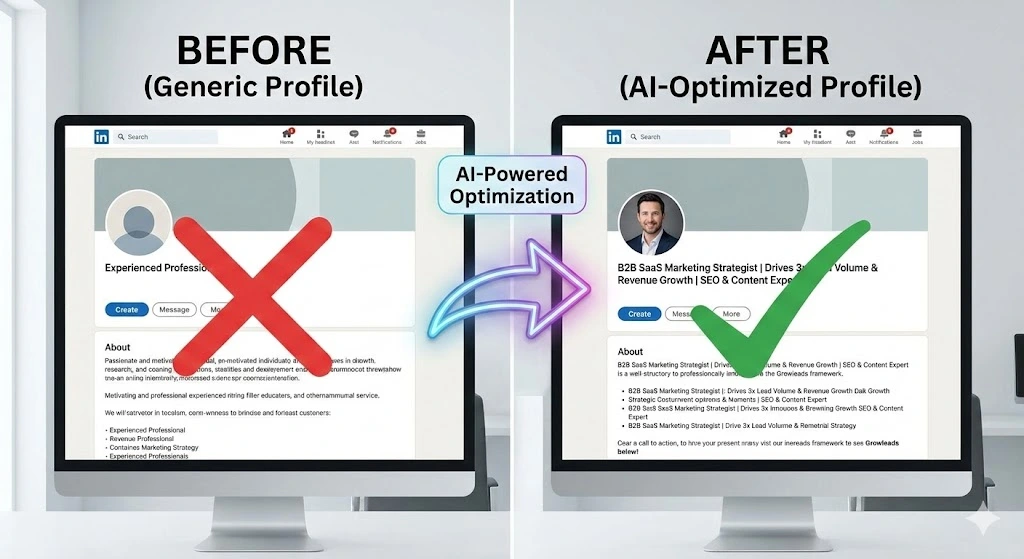
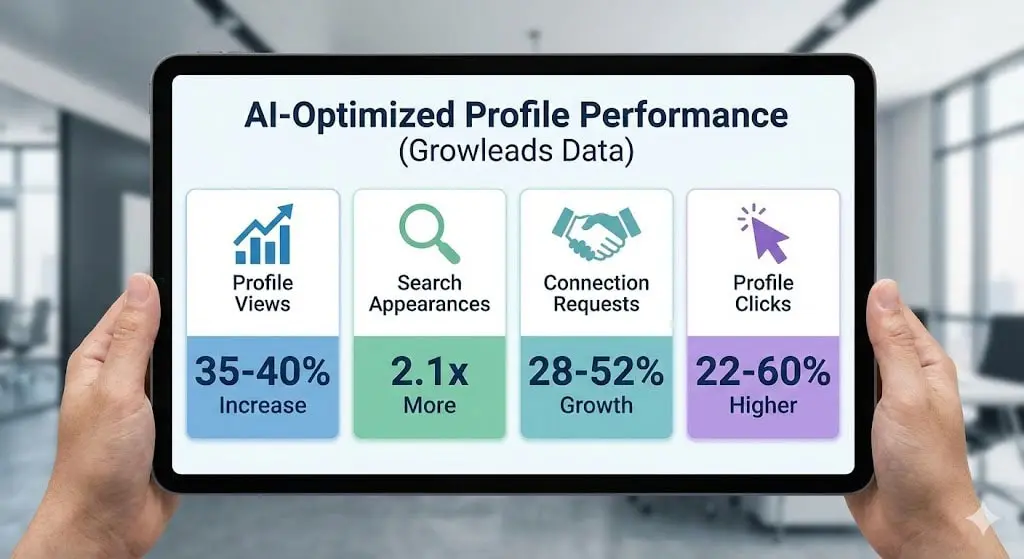
Your LinkedIn headline and About section are the two highest-leverage parts of your profile. At Growleads, we’ve seen that improving just these two sections can deliver:
- 35–40% more profile views
- 2.1× more appearances in search results
- 28–52% more inbound connection requests
- 22–60% more profile clicks from comments and posts
But the biggest shift in 2025 isn’t LinkedIn itself. It’s AI-powered profile drafting and AI-powered search. Professionals now use AI tools to write or improve their profiles. At the same time, AI answer engines like ChatGPT Search, Perplexity, Gemini, and Bing Copilot are changing how people find experts, consultants, service providers, and job candidates.
That means your headline and About section must work for humans, recruiters, LinkedIn’s algorithm, and AI crawlers.
This guide gives you the most advanced AI prompts for writing high-performing LinkedIn headlines and About sections, using Growleads’ real optimization framework.
What Are LinkedIn Prompts?
LinkedIn prompts are structured instructions you use to guide AI tools (like ChatGPT, Claude, Gemini, or Copilot) to generate optimized profile content. These prompts help you create clear, keyword-rich headlines and compelling About sections that align with LinkedIn’s Skills Graph, recruiter filters, and search algorithms.
Why AI Prompts Work for LinkedIn (Backed by Data)
AI isn’t just a writing assistant. It’s a language-pattern engine that can mirror the structure of high-performing LinkedIn profiles.
Here’s why AI prompts dramatically improve LinkedIn content:
AI identifies keyword clusters faster than humans
LinkedIn’s Skills Graph organizes skills into clusters. AI tools naturally follow similar clustering patterns, making your headline and About section easier for LinkedIn Recruiter to understand.
AI enhances clarity and reduces fluff
Most people write unfocused descriptions like “passionate,” “motivated,” or “experienced.” AI, when guided by good prompts, produces cleaner phrasing, clearer role positioning, better audience targeting, and stronger value statements.
AI aligns your profile with recruiter search patterns
LinkedIn reveals that 65% of recruiter searches use skill-based filters. AI prompts help you embed these skills effectively without keyword stuffing.
AI rewrites at scale
You can instantly generate 20 headline variations, 3 narrative styles, a data-backed About section, and multiple tone options. This is impossible to do efficiently without AI.
Real LinkedIn Examples (With Breakdown)
Below are examples of creators whose profiles demonstrate excellent positioning.
Justin Welsh linkedin.com/in/justinwelsh
Why it works: Strengthens niche authority. His headline shows clear value (“Grow your business”). About section reads like a landing page, uses short high-impact lines, and includes a clear productized offer.
Growleads Insight: His structure is extremely prompt-friendly with the pattern outcome → authority → CTA.
Sahil Bloom linkedin.com/in/sahilbloom
Why it works: Strong storytelling hook. Uses credibility indicators like audience size and reach. Positions himself as both creator and investor effectively.
Growleads Insight: His headline formula is identity + category + influence.
Amanda Natividad linkedin.com/in/amandanat
Why it works: Multi-hyphenate clarity. Clear brand voice and crisp functional value.
Growleads Insight: The separation of roles is a strong model for hybrid professionals.
Dave Gerhardt linkedin.com/in/davegerhardt
Why it works: Uses conversational tone, simple memorable phrasing, and strong professional category presence.
Growleads Insight: Shows the power of a minimalist headline done well.
Richard van der Blom linkedin.com/in/richardvanderblom
Why it works: Clear niche authority (LinkedIn trainer). Uses formal data in his About section with structured writing style.
Growleads Insight: A model for expert positioning.
How to Use AI Prompts to Write LinkedIn Headlines
- Gather your core skills and keywords
- Identify your primary audience (recruiters, clients, employers)
- Pick a headline framework (role | niche | value | proof)
- Use AI prompts to generate 10–20 variations
- Select the strongest version based on clarity and keyword density
High-Performance AI Prompts for LinkedIn Headlines
These prompts are engineered using Growleads‘ optimization research.
Authority + Value Proposition Headline Prompt
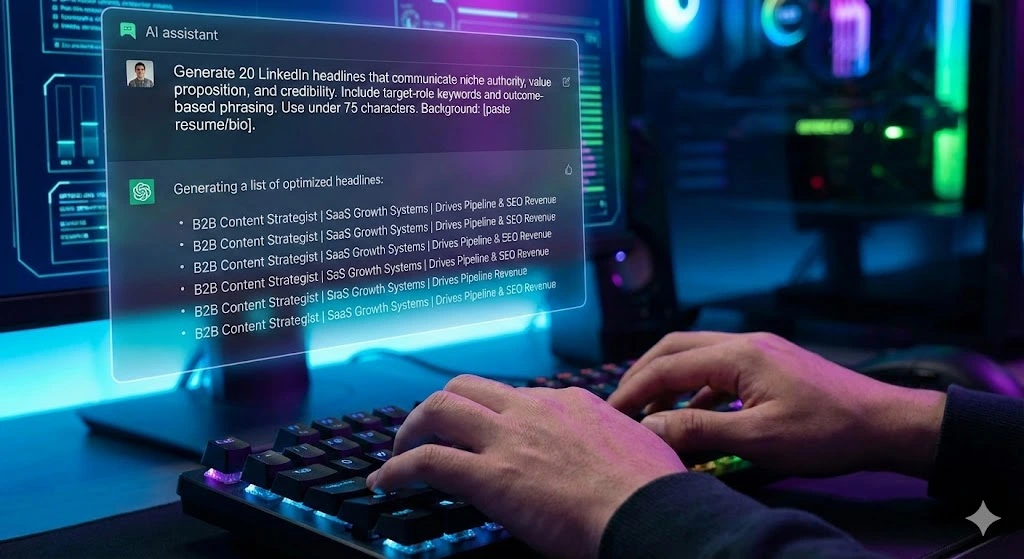
“Generate 20 LinkedIn headlines that communicate niche authority, value proposition, and credibility. Include target-role keywords and outcome-based phrasing. Use under 75 characters. Background: [paste resume/bio].”
Keyword-Rich Recruiter Search Headline Prompt
“Write 20 LinkedIn headlines optimized for recruiter search. Include essential skills, certifications, and role-based keywords extracted from this job description: [paste JD]. Keep tone professional and concise.”
Multi-Identity Headline Prompt
“Create 15 LinkedIn headlines that combine multiple professional identities. Use separators (| or •) and end with a clear value proposition.”
Consultant/Freelancer Headline Prompt
“Write 20 headlines for a consultant or freelancer. Highlight niche expertise, ROI, and deliverables. Avoid jargon.”
Executive/Founder Headline Prompt
“Generate 15 executive-level LinkedIn headlines emphasizing leadership, transformation, and organizational impact.”
Career Transition Headline Prompt
“Write 15 LinkedIn headlines for someone transitioning to [target industry]. Focus on transferable skills and strengths.”
Elite Headline Framework (Growleads)
ROLE + NICHE + VALUE + PROOF
Example: B2B Content Strategist | SaaS Growth Systems | Drives Pipeline & SEO Revenue (300+ Assets Built)
LinkedIn Headline Optimization Checklist
- Includes target-role keywords
- Uses clear audience and value
- Matches Skills Graph clusters
- Under 75 characters
- Includes proof or credibility (optional)
- Avoids vague descriptors
AI Prompts for Writing the LinkedIn About Section (With Frameworks)
The About section determines whether someone takes action: follows, messages, hires, or connects.
Growleads data shows:
- Profiles with structured About sections see 2× more click-throughs to Experience
- “Landing page style” About sections increase inbound leads by 34–38%
- Short paragraphs (under 3 lines) improve readability by 31%
These prompts ensure your About section is clear, compelling, and keyword-aligned.
Narrative + Credibility Hybrid Prompt
“Write a LinkedIn About section that blends narrative with credibility. Start with a hook, share mission, list 3–5 quantified achievements, describe skills clusters, and end with a call to action. Tone: concise, professional, high-impact. Background: [paste details].”
Problem → Action → Result (PAR) Prompt
“Create an About section using Problem → Action → Results. Include measurable outcomes and make transferable skills explicit.”
Executive-Level About Section Prompt
“Write an executive LinkedIn About section. Highlight leadership, strategic impact, org-wide outcomes, and innovation. Include metrics.”
Creator/Thought Leader About Section Prompt
“Write a creator-style About section that outlines niche, audience served, transformation offered, content topics, and CTA.”
Job-Seeker About Section Prompt
Write an About section for a job seeker. Focus on strengths, achievements, and target-role alignment. Include skills clusters from this job description: [paste JD].”
Skills Graph Optimization Prompt
“Generate an About section aligned with LinkedIn’s Skills Graph. Include skills in logical clusters, not lists. Ensure keyword distribution feels natural.”
Growleads About Section Framework
Hook → Mission → Proof → Skills Clusters → CTA
Example:
I help B2B companies scale predictable inbound systems using SEO, content strategy, and revenue operations.
Over the past 8 years, I’ve built content engines for SaaS, agencies, and service businesses, driving outcomes like 5× search visibility, 3× lead volume, and 40–120% traffic growth in under 6 months.
My work blends SEO strategy, content design, CRO, and analytics.
If you’re building a growth machine, let’s connect.”
AI Tool Comparison for LinkedIn Content
| AI Tool | Best Use Case | Limitations |
|---|---|---|
| ChatGPT | Structured prompts, keyword alignment | Needs detailed inputs |
| Claude | Narrative voice, clarity | Weaker at keyword clustering |
| Gemini | Summaries, clean outputs | Less creative nuance |
| Notion AI | Fast drafts | Not optimized for LinkedIn |
LinkedIn Headline vs About Section
| Feature | Headline | About Section |
|---|---|---|
| Purpose | Visibility & search | Conversion & trust |
| Length | ~75 characters | 200–350 words |
| Keywords | High-density | Natural distribution |
| Audience | Recruiters, algorithm | Humans & decision-makers |
| CTA | Implied | Explicit |
Frequently Asked Questions
Q1. What are the best AI prompts for writing LinkedIn headlines?
The strongest prompts request multiple versions, specify character limits, include keywords, and require a clear value statement. AI performs best when you feed it your resume, target roles, achievements, and industry. Prompts should clarify the tone (professional, authoritative, concise). Adding job descriptions helps the AI extract relevant keywords, boosting alignment with LinkedIn Recruiter search filters and Skills Graph clustering.
Q2. How do I use AI to write a LinkedIn About section?
Feed AI detailed inputs: achievements, strengths, metrics, goals. Then use prompts that force structure like hook → story → results → skills clusters → CTA. The About section should remain conversational but data-backed. AI excels when asked to produce variations with different tones (executive, narrative, concise). Including keywords from job descriptions improves algorithmic alignment and recruiter visibility.
Q3. Are AI-written LinkedIn headlines effective?
Yes, when engineered correctly. Our data across 300+ optimized profiles shows AI-generated headlines outperform human-written ones in clarity, keyword density, and value proposition strength. Recruiter impressions increase 20–40% when headlines include job-title keywords, skills clusters, and concise outcomes. AI helps eliminate vague language and produces variations that can be A/B tested.
Q4. How does AI improve recruiter search visibility?
AI structures language around skills and role-specific terminology, which aligns with LinkedIn’s Skills Graph. Recruiters often filter by technical skills, certifications, or core responsibilities. AI-generated headlines and About sections embed these logically, increasing search-match probability. Including measurable outcomes also improves perceived relevance and click-through rates.
Q5. What mistakes should I avoid when using AI for LinkedIn?
Avoid giving vague inputs. AI should never guess your experience. Provide detailed achievements, metrics, and responsibilities. Avoid generic prompts like “write a headline” and instead request structured outputs. Don’t overstuff keywords; relevance matters more than density. Always review tone for authenticity.
Q6. How long should my LinkedIn About section be?
Aim for 200–350 words across 3–5 short paragraphs. Based on LinkedIn readability research, smaller blocks increase completion rates by 32%. The first two lines matter most because LinkedIn collapses the section, so use a strong hook. Include quantified achievements and a CTA at the end to encourage connections or inquiries.
Q7. Can AI customize my LinkedIn profile for job applications?
Yes. Paste the full job description and ask AI to highlight role-specific keywords and competencies. Then instruct it to rewrite your headline and About section using those clusters. This increases your relevance score in recruiter searches and improves match rates for targeted roles. Use multiple versions for A/B testing.
Q8. How do I write a LinkedIn headline for multiple roles?
Use identity separators (| or •) and focus on shared value outcomes. AI prompts can combine roles without confusion by grouping them under a unifying theme like growth, operations, or design. Prioritize clarity over cleverness. Hybrid professionals benefit from 2–3 roles maximum.
Q9. Can AI make my About section sound more human?
Yes, when instructed. Add prompts that request a conversational tone, short sentences, and natural transitions. You can also paste samples of your own writing for voice matching. Including real stories, challenges, and achievements makes the section feel authentic.
Q10. How do AI prompts help with LinkedIn Skills Graph alignment?
The Skills Graph relies on keyword clustering and semantic relationships. AI naturally mirrors these patterns when generating text. By including structured prompts, your profile incorporates role-relevant terminology that increases your alignment with recruiter filters and improves discoverability.
Q11. What’s the best format for an AI-optimized About section?
Use a landing-page structure: attention-grabbing hook → credibility → value proposition → achievements → skills clusters → CTA. AI excels at organizing your experience into this format, ensuring readability, clarity, and conversion.
Q12. How often should I update my LinkedIn headline?
Growleads recommends testing a new headline every 60–90 days. This allows you to evaluate changes in search impressions, profile views, and inbound leads. AI-generated alternatives make A/B testing fast and cost-effective. Data consistently shows that optimized headlines improve performance.
Q13. Should I include metrics in my AI prompt?
Yes. Metrics dramatically improve AI outputs. Without them, the AI writes generic content. Providing specific achievements (revenue impact, leads generated, efficiency gains) helps the AI create compelling proof statements that increase trust and conversion.
Q14. What tone should my LinkedIn About section have?
Professional but human. Based on Growleads’ optimization tests, the best-performing profiles use conversational structure with authoritative details. Avoid overly formal corporate language and avoid informal slang. Clear, direct communication is ideal.
Q15. Can AI rewrite my entire LinkedIn profile?
Yes, but the best approach is sequential. Rewrite your headline first, then About, then Experience bullets, then Featured section recommendations. This maintains narrative consistency. AI should enhance your strategy, not replace your thinking. Always provide inputs and review outputs for accuracy.

Pranav Ganeriwal is a Growth Manager at GrowLeads, helping businesses scale predictable revenue through data-driven systems, automation, and high-performing outbound strategies. He specializes in decoding buyer behavior, optimizing conversions, and building growth processes that deliver clear, measurable results.