How to Avoid Email Filters: Proven Strategies for Increasing Inbox Deliverability

Your legitimate marketing emails might be missing their mark. A surprising 21% of permission-based emails from legitimate senders land in spam filters. This means one in five of your carefully written messages never make it to your audience. The stakes are high for marketers. Breaking anti-spam laws could cost you up to $11,000 per email address under the CAN-SPAM Act.
Knowing how to keep emails out of spam email filters has become crucial for today’s marketing communications. Spam filters look at everything – your sender reputation, content formatting, and suspicious links. They flag issues like ALL CAPS text or missing unsubscribe options. The rules are clear. Google and Yahoo want your spam complaint rate below 0.3%. Expert marketers suggest bounce rates should stay under 2%. This piece gives you the quickest ways to bypass email filters legally and make sure your messages hit the right inbox consistently.
How to know if your emails are going to spam
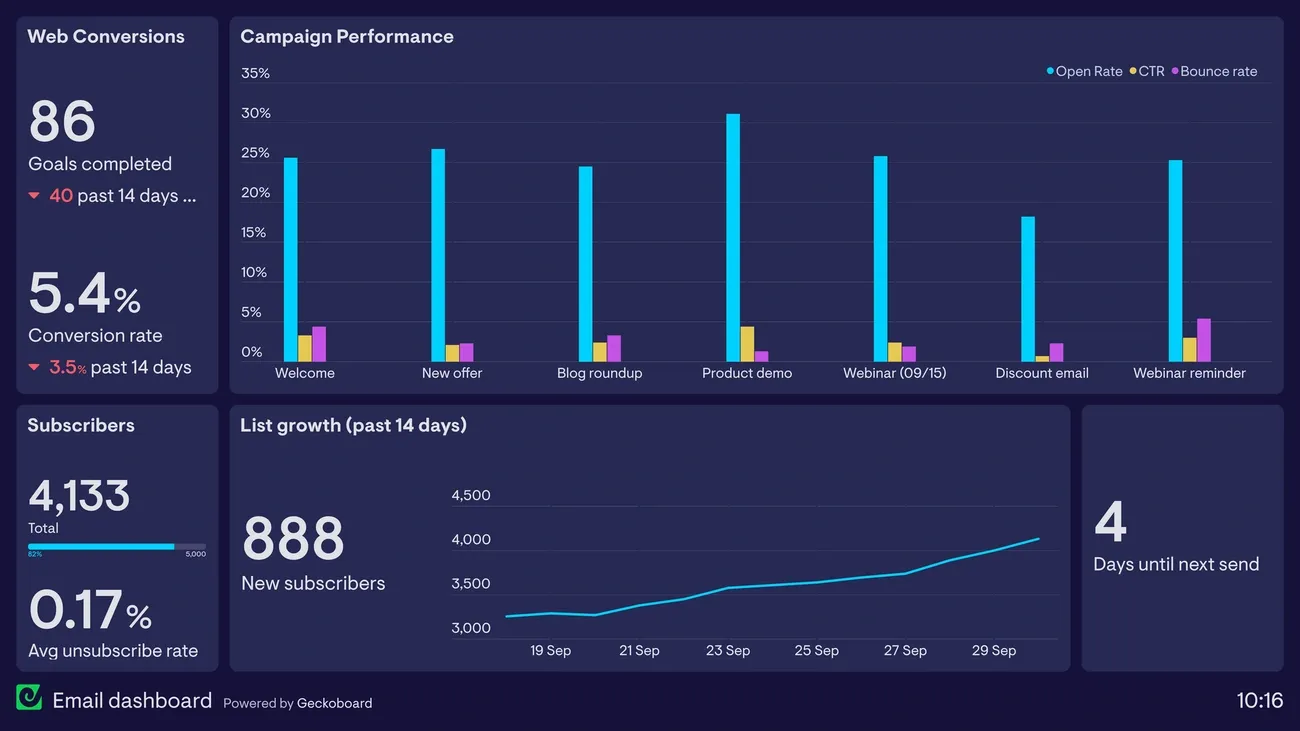
Image Source: Geckoboard
Finding your carefully crafted emails in spam folders can be frustrating. You have several reliable ways to see if your messages make it past email spam filters. You can quickly spot and fix deliverability issues before they hurt your marketing efforts by watching a few key indicators.
Check engagement metrics
Your first warning sign of spam folder placement often shows up in low engagement rates. A sudden drop in open rates without any changes to your content or sending habits usually points to inbox placement issues. EmailToolTester’s data shows the average deliverability rate across email platforms is 83.1%. This means almost 17% of all emails either disappear or get caught by spam filters.
Even top-performing email service providers face ups and downs in their deliverability rates. Research shows providers like ActiveCampaign and MailerLite have seen surprising changes in performance. Others like Benchmark lag behind with deliverability rates as low as 47.1%.
Your engagement metrics need close attention, especially open and click rates. These numbers tell a story – if they drop noticeably compared to your past performance, your messages probably aren’t landing in primary inboxes.
Use deliverability testing tools
Testing tools give you solid proof of your spam folder placement. Services like GlockApps, Mail Tester, and MailGenius review your emails against major spam filters including Google, Barracuda, and SpamAssassin.
Here’s how to run a simple spam test:
- Visit a testing service like Mail-Tester.com
- Copy the unique test email address provided
- Send your campaign to this address
- Check your score and detailed feedback
These tools look at many factors that affect deliverability, such as your domain’s reputation, authentication setup, content quality, and technical configuration. MailGenius says a score of 70 or higher means your email will likely reach the inbox.
Most complete testing platforms also give you specific tips to boost deliverability. They point out issues with your subject lines, HTML structure, text-to-image ratio, and authentication records like DKIM, SPF, and DMARC.
Monitor spam complaint rates
Email providers see spam complaints as one of the most harmful signals. The industry’s standard for acceptable spam complaint rates varies from 0.1% (1 complaint per 1,000 emails) to 0.02% (1 complaint per 5,000 emails), depending on your source.
Going over these limits can lead to serious problems:
- At 0.2% complaint rate: Most ESPs will send warning notifications
- At 0.5% complaint rate: Account suspension becomes likely
- Above 0.3%: You need to act fast to avoid IP blocklisting
Many email service providers work with major inbox providers like Yahoo, Outlook.com, and Comcast through feedback loops. These loops let you know when recipients mark your messages as spam. These reports help you spot problematic campaigns before they seriously damage your sender’s reputation.
Gmail works differently by giving total data instead of individual feedback. You’ll need to use Google Postmaster Tools to track Gmail-specific complaints. This matters because Gmail accounts make up a big part of most email lists.
Check blocklists for your domain or IP
Getting on an email blocklist directly hurts your deliverability. Tools like MXToolbox, SpamHaus, and ZeroBounce let you check your domain and sending IPs against more than 50 industry blocklists.
Blocklist monitoring should be part of your regular email maintenance. Services like GlockApps track your domain against these lists and alert you right away if you end up on any of them. This helps you fix issues quickly before they hurt your campaigns.
Beyond automated tracking, watch for warning signs of blocklisting. Look for sudden jumps in bounce rates, big drops in open rates, or spam complaint rates above 0.1%.
If you find your domain or IP on a blocklist, most services explain why you’re listed and how to get removed. You’ll need to fix the root causes – whether they’re spam complaints, suspicious sending patterns, or technical issues – before asking to be delisted.
Keep an eye on these four key areas regularly. You’ll quickly know if email spam filters are catching your messages and can fix problems before they become serious deliverability issues.
Technical setup to prevent emails going to spam

Image Source: Mailtrap
The technical setup of your email program affects whether messages land in the inbox or get stuck in spam filters. Your compelling content won’t reach anyone without the right configuration.
Use your own domain for sending
A custom sending domain does more than look good—it changes how well your emails get delivered and how much recipients trust you. Many businesses start with free Gmail or Yahoo domains, but this approach hurts their email marketing success in the long run.
Sending from your own domain that matches your website (like [email protected] instead of [email protected]) gives you several advantages right away:
Your emails look more professional and trustworthy to subscribers. Recipients recognize your brand domain and are more likely to open your messages. Plus, a custom domain builds a better sender reputation with inbox providers, which helps your emails get through.
Free email services don’t watch their users as carefully, so scammers love them. Your custom domain makes it harder for cybercriminals to copy your brand. This protects you and your subscribers.
Set up SPF, DKIM, and DMARC
Email authentication protocols work like a digital ID card. They help your emails reach inboxes and stop others from faking your identity:
- SPF (Sender Policy Framework) – Lets domain owners list which IP addresses can send emails from their domain
- DKIM (DomainKeys Identified Mail) – Adds a digital signature that proves the message hasn’t changed in transit
- DMARC (Domain-based Message Authentication, Reporting, and Conformance) – Uses SPF and DKIM to create rules for handling failed authentication
You’ll need to add specific DNS records through your domain registrar to set these up. The process might seem complex, but you can’t skip it. As of February 2024, Google and Yahoo require DKIM and SPF authentication for bulk email senders.
These protocols support each other like building blocks. You need all three for the best protection against spam filters and to keep your domain safe from spoofing.
Choose a reputable ESP
Your Email Service Provider (ESP) plays a vital part in getting emails delivered. A good ESP offers:
Strong connections with major inbox providers
Tools that make authentication setup and tracking easier
Clean sending infrastructure that other customers haven’t misused
Look past features and pricing when picking a provider. Check their delivery success rates and sender scores—you’ll share parts of their sending reputation when using their service.
Many ESPs include delivery consulting and monitoring tools that spot problems early. This helps keep your emails reaching inboxes consistently.
Think about a dedicated IP if you send lots of emails
Shared IP pools work fine for most small senders. But if you send more than 150,000 emails monthly (about 5,000 daily), a dedicated IP address offers clear benefits.
A dedicated IP gives you full control over your sender reputation because you’re the only one using it. Other senders can’t hurt your delivery rates with bad practices.
Key points about dedicated IPs:
You need steady, predictable sending volume (ISPs want several hundred emails daily, at least monthly)
Your IP needs time to build trust (usually 30-40 days)
Regular monitoring keeps everything running smoothly
ESPs offer standard dedicated IPs (you manage them) and managed ones (they handle warm-up and scaling). Managed IPs protect senders with varying volume from delivery problems better.
This technical foundation creates a trusted sending system that helps your messages reach inboxes reliably.
Avoiding spam filters through better content
Your email content plays a vital role in getting past spam filters, even with the best technical settings. The way you craft your message determines whether it lands in the inbox or gets banished to spam.
Avoid spammy language and formatting
Email providers immediately flag certain words and phrases. You should stay away from desperate-sounding or too-good-to-be-true language like:
- “Act now,” “buy direct,” “cash,” “claim your prize”
- “100% satisfaction,” “$$$,” “serious cash”
- “Urgent,” “expires soon,” “lifetime”
These words send warning signals to email providers. Spam filters also catch excessive punctuation (especially exclamation points!!!), ALL CAPS, and overly promotional language. A recent test showed that emails with 500+ characters of text had better deliverability whatever other content factors.
The right formatting helps too. Spam filters often catch poor HTML code, so use simple HTML tags like <p>, <h1>, and <a> and skip complex ones like <font> or <script>.
Write subject lines that build trust
Subject lines work as mini-ads for your email content. Research shows 69% of people mark emails as spam just by looking at the subject line.
You can build trust with these subject line tips:
- Add recipient names where possible
- Write clear and accurate descriptions
- Skip ALL CAPS (it drops response rates by 30%)
- Use emojis without going overboard
- Run A/B tests with different approaches
Keep in mind that misleading subject lines break the CAN-SPAM Act and GDPR rules and could lead to heavy fines.
Balance images and text
Experts still debate the perfect image-to-text ratio, but most suggest keeping at least 60% text and no more than 40% images. You should include at least 400 characters (60-100 words) of body text outside images.
This matters because some email clients don’t load images right away. Image-heavy emails might get cut off, and image text won’t show up in inbox searches. Here’s how to use images well:
- Keep images compact but clear
- Add helpful alt text for accessibility
- Limit emails to three images
- Leave space between images
- Check how emails look across different clients
Avoid misleading or clickbait tactics
Clickbait might boost your open rates now but hurts engagement later. These tricks lead to more unsubscribes, spam reports, and legal trouble. People who feel tricked often mark emails as spam – 54% say they’ve been fooled by misleading subject lines.
Try these better approaches instead:
- Create real curiosity (“What’s the Secret to Our Best-Selling Product?”)
- Show clear benefits (“Boost Your Productivity with These 5 Proven Tips”)
- Share exclusive content (“Early Access: Be the First to Try Our New App”)
Getting past spam filters needs a balanced approach to content. Focus on creating relevant, engaging messages that respect your readers rather than just worrying about keywords or images.
List hygiene and subscriber engagement
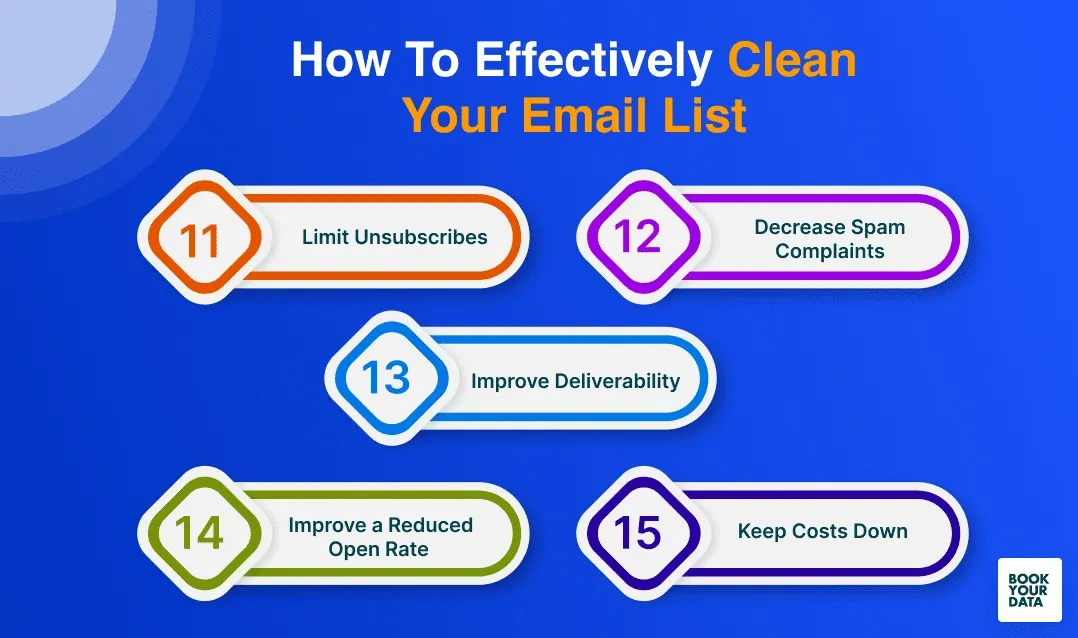
Image Source: BookYourData
A clean and active email list helps you avoid spam filters and gets your messages to the right inbox. Your list quality affects deliverability, and subscribers who don’t engage often file spam complaints, cause hard bounces, and create deliverability problems.
Use double opt-in to confirm interest
Double opt-in verification acts as your first defense against spam filters. New subscribers must click a link in a verification email to confirm their subscription before joining your list.
This extra step brings great results. You’ll get more active lists with better open rates, fewer spam complaints, and only real interested people join your audience. In spite of that, more than 50% of senders don’t use this verification method.
Double opt-in stops fake emails, bots, and typos that often slip into single opt-in lists. This practice also protects you from spam complaints because subscribers confirm their interest twice. The confirmation process gives you solid proof of consent – something modern data privacy rules require.
Remove inactive subscribers regularly
Your subscribers who haven’t opened or clicked your emails for 90+ days shouldn’t stay on your list. Inactive subscribers don’t just cost you money – they hurt your deliverability.
Gmail, Yahoo, and other providers notice when you keep sending emails to people who never open them. They start sending more of your messages to spam folders. Without doubt, this creates a cycle that damages your overall deliverability.
Regular cleanup of your list keeps your metrics strong and helps you stay in good standing with inbox providers. To cite an instance, sending to inactive subscribers makes Gmail notice that most emails go unopened. This could lead to more filtered spam or blocked messages.
Send relevant content through segmentation
Email segmentation splits your list into smaller groups based on specific criteria. We divided subscribers to match content with their interests and behaviors.
Segmentation brings real benefits:
- Better open rates with targeted subject lines
- More clicks when content matches interests
- Higher conversion rates through focused messaging
- Fewer unsubscribes by sending wanted content
You can segment based on engagement, purchase history, content priorities, or lifecycle stage. Marketers create segments for active contacts based on opens and clicks. They also build separate groups for inactive contacts who need re-engagement campaigns.
Run re-engagement campaigns
Try to win back inactive subscribers through re-engagement campaigns before removing them. These special email sequences reconnect with quiet subscribers using catchy subject lines, deals, or fresh content.
Start re-engagement after three months of no activity. Keep your message clear and simple – remind people why you’re valuable. You can offer discounts, show what they missed, or ask if they want to stay on your list.
Re-engagement campaigns work well because converting an inactive subscriber costs five times less than finding a new one. After your campaign ends, remove subscribers who don’t respond. This makes your list stronger by focusing on people who really want your emails.
Compliance with anti-spam laws
Legal compliance is a vital element to prevent spam filters from flagging your emails, beyond technical optimization and content quality. Anti-spam laws exist across many countries that set specific rules. Legitimate marketers must follow these rules to keep their emails delivered and stay within the law.
Include a visible unsubscribe link
Your marketing emails need a clear, working unsubscribe option. Laws like CAN-SPAM in the United States and similar rules worldwide make this mandatory. The unsubscribe link should stand out in your email’s footer with clear text like “Unsubscribe” or “Manage priorities.” Recipients will likely mark your emails as spam if you hide this option or make it hard to find. This also breaks the law.
Add your physical address
A valid physical mailing address must appear in every email you send. This shows you’re a legitimate sender with a real-life presence. You can use:
- Your current street address
- A registered post office box (P.O. Box)
- A private mailbox registered with a commercial mail receiving agency
A P.O. Box works well if you run a home-based business and don’t want to share your home address. This keeps your privacy intact while meeting legal requirements.
Honor opt-out requests promptly
The law requires quick action when someone unsubscribes. The CAN-SPAM Act gives you 10 business days to process opt-out requests, but you should handle them right away. You can’t sell or transfer an unsubscribed email address, even as part of your mailing list. You need accurate, updated suppression lists to avoid sending emails to people who’ve opted out.
Avoid deceptive headers and subject lines
Misleading subject lines break anti-spam laws and destroy trust. The CAN-SPAM Act strictly forbids deceptive subject headings that might trick recipients about what’s inside the email. Breaking these rules comes at a steep price – you could face fines up to $43,280 per email. Honesty makes sense both ethically and financially.
Proactive strategies to improve inbox placement
Your email deliverability success depends on proactive steps rather than just fixing problems after they occur. A structured approach to preventive strategies will help you build better relationships with subscribers and email providers.
Ask users to whitelist your email
Adding your email address to subscribers’ contacts list or safe senders can boost your delivery rates by a lot. Your welcome emails should include a simple request with clear instructions: “To keep receiving emails from us, please add us to your address book”. This simple step helps your future emails bypass spam filters automatically.
Clear language works better than technical terms – most subscribers don’t know what “whitelisting” means but understand how to add contacts. You can make this easier by adding specific instructions for Gmail, Yahoo, and Outlook.
Send welcome emails to boost engagement
Welcome emails get open rates of 51.7% or higher – this is a big deal as it means they perform better than regular marketing messages. A strategic welcome sequence of 3-4 emails over 7-10 days works better than just one message.
Your welcome series should include:
- An immediate first email with any promised incentives or discounts
- A relationship-building second email connecting to social channels
- A reminder message for those who haven’t converted yet
Subscribers pay most attention during this early period. This makes it perfect for creating positive engagement patterns that help your emails avoid spam filters in the long run.
Monitor bounce rates and fix issues
Your sender reputation stays strong when bounce rates stay below 2-5%. Email providers might send more messages to spam folders if rates go higher than this threshold. Regular monitoring and quick action become crucial if bounce rates start climbing.
High bounce rates point to list quality problems. Double opt-in processes, proper domain authentication, and regular cleaning of inactive addresses from your database can help fix these issues.
Test emails before large sends
Finding potential spam triggers becomes easier with pre-send testing. Tools like Litmus and GlockApps check your content through 25+ spam filters and suggest specific improvements.
Each major campaign needs testing for device rendering issues. Make sure all links work correctly and your content stays clear of spam triggers. This preparation helps maintain high inbox placement rates consistently.
Conclusion
Email deliverability challenges marketers daily, but you can improve your results by learning legitimate ways to bypass spam filters. This piece explores several approaches that work together to help your messages reach their intended destination.
Technical configuration is the foundation of successful email delivery. SPF, DKIM, and DMARC authentication protocols act as your digital passport and tell email providers your messages come from a trusted source. These protocols are now mandatory requirements, especially since Google and Yahoo made them compulsory in 2024.
Your content’s quality determines inbox placement substantially. You need to avoid spammy language, balance text and images, and craft trustworthy subject lines. Note that even the best technical settings can’t save poor content from spam folders.
List hygiene matters just as much in your deliverability strategy. A clean, engaged subscriber base sends positive signals to email providers. Sending to inactive addresses hurts your sender reputation. You must clean your lists regularly to succeed in email marketing.
Legal compliance adds a crucial layer to your email strategy. Many marketers don’t deal very well with this aspect. You need visible unsubscribe links, physical addresses, and quick opt-out processing to avoid spam filters and legal issues that can get pricey.
The fight against spam folders needs constant alertness and adaptation. Email providers update their algorithms frequently. This makes deliverability an ongoing process instead of a quick fix. Without doubt, marketers who use these strategies will see much better inbox placement rates than those who ignore these basics.
The ultimate goal goes beyond inbox placement – you need to create real value for your subscribers. Delivering relevant, engaging content to interested people improves deliverability naturally. The quickest way to avoid spam filters remains simple: don’t send spam.
Boost email deliverability with expert-backed tactics from Growleads.io
FAQs
Q1. How can I prevent my emails from being marked as spam?
To avoid spam filters, use a reputable email service provider, authenticate your domain with SPF, DKIM, and DMARC, maintain a clean subscriber list, and create engaging, relevant content. Also, ensure compliance with anti-spam laws by including an unsubscribe link and your physical address in every email.
Q2. What’s the best way to improve email deliverability?
Improve deliverability by using double opt-in for new subscribers, regularly cleaning your list of inactive contacts, segmenting your audience for targeted content, and monitoring engagement metrics. Additionally, warm up new IP addresses gradually and test emails before large sends to catch potential issues.
Q3. How important is the subject line in avoiding spam filters?
Subject lines are crucial for bypassing spam filters. Avoid using all caps, excessive punctuation, or spam trigger words. Instead, craft clear, honest, and engaging subject lines that accurately reflect the email’s content. Personalization and A/B testing can help optimize your subject lines for better inbox placement.
Q4. What technical setup is necessary to prevent emails from going to spam?
Essential technical setup includes using your own domain for sending, implementing SPF, DKIM, and DMARC authentication protocols, and choosing a reputable email service provider. For high-volume senders, consider using a dedicated IP address to have full control over your sender reputation.
Q5. How often should I clean my email list to maintain good deliverability?
Regular list cleaning is crucial for maintaining good deliverability. Remove inactive subscribers who haven’t engaged with your emails in 90+ days. Run re-engagement campaigns quarterly to win back dormant subscribers before removing them. This practice helps maintain a healthy, engaged list and improves overall deliverability rates.

Malay is the VP of Growth & Operations at Growleads, where he transforms businesses through automation, behavioral analytics, and omni-channel scaling strategies.
As a growth strategist, Malay has helped organizations streamline operations, decode customer behavior, and scale revenue through data-driven automation. His expertise spans process optimization, conversion analytics, and building scalable growth systems that deliver measurable results.