
LinkedIn Headline Templates for 2026: Character Limits + 9 Formats
The LinkedIn headline character limit in 2026 is 220 characters on desktop and mobile, raised from the 120-character limit that applied before late 2024. The 9 headline formats that draw recruiter attention in 2026 follow 3 patterns: Role + Outcome + Proof, Problem + Solution + Differentiator, and Keyword Stack + Value Statement. The highest-performing format for inbound recruiter outreach is Role + Outcome + Proof (for example, ‘SDR | Booked 220 meetings in 2026 | 4x quota attainment’). This guide includes character-count math, the 9 templates, and recruiter response rate benchmarks.
LinkedIn Headline Character Limit in 2025 and 2026 (What Changed)
LinkedIn raised the headline character limit from 120 to 220 characters in late 2024. The new limit applies on both desktop and mobile. Most headline advice still assumes the 120-character cap and leaves 100 characters of unused real estate.
How to use the extra 100 characters (without looking spammy)
The winning pattern: 3 segments separated by pipes (|) or bullets. Segment 1 is your role. Segment 2 is a specific outcome. Segment 3 is proof or credentials. Fill 180 to 200 of the 220 characters. Leaving characters on the table costs you search impressions.
9 Headline Formats That Draw Recruiter Attention in 2026
Format 1: Role + Outcome + Proof (highest recruiter response)
Example: “SDR | 220 meetings booked in 2026 | Ex-Salesforce | Quota: 400%”. Works because it answers 3 recruiter questions in one line: what you do, what you produce, and why to trust the claim.
Format 2: Problem + Solution + Differentiator
Example: “Helping B2B SaaS founders hit $1M ARR faster | 4-week pipeline sprints | Built at 3 Y Combinator companies”. Best for consultants and freelancers building a personal brand.
Format 3: Keyword Stack + Value Statement
Example: “B2B Marketing | Demand Gen | ABM | Intent Data | Scaling enterprise pipeline for SaaS at $50M+ ARR”. Best for recruiter-search optimization, less effective for warm networking.
Format 4: Credentials-First (for senior roles)
Example: “VP Sales | Ex-HubSpot | Scaled 2 teams from $5M to $50M ARR | Harvard MBA | Angel investor in B2B SaaS”. Length flex gives you room for up to 5 credentials.
Format 5: Narrative (for career-switchers)
Example: “Ex-teacher turned growth marketer | Taught me to experiment, ship, iterate | Now scaling B2B SaaS pipelines”. Sacrifices search optimization for memorability.
Format 6: Metric-Dominant (for ICs)
Example: “Enterprise AE | $4.2M closed in 2026 | 68% win rate | 112% quota attainment | Selling to CROs”. Three quantified proof points beat 3 vague ones every time.
Format 7: Industry-Specialist
Example: “RevOps for B2B SaaS at $10M-$100M ARR | 11 implementations | Ex-Gong, Clari”. Signals depth in a narrow niche, which is often more valuable than generalist breadth.
Format 8: Question-Led (for thought leadership accounts)
Example: “What would your sales process look like if discovery was the only stage that mattered? | VP Sales | Writing about it”. Lower recruiter response but higher inbound DM volume.
Format 9: Role + One Sentence Promise
Example: “Head of Demand Gen | I make pipeline inevitable for B2B teams at $50M+ ARR”. Short for the new 220 cap (about 100 characters). Works when the one-sentence promise is genuinely unique.
LinkedIn headline templates that work? A new user joins LinkedIn every two seconds, making the race for attention tougher than ever.
Your LinkedIn headline means more than your job title – it’s your first impression, personal pitch, and a key to greater visibility. People view your headline 5x more than any other profile section, and this directly affects your career opportunities and earning potential.
Here’s something to consider: recruiters take just 3 seconds to decide whether to click your profile. Most headlines look the same – “Marketing Manager at X,” “Founder at Y”. This makes you blend into the crowd of professionals.
We’ve created a list of best LinkedIn headline templates that helped people land real job offers. These aren’t just theories – they’re tested formulas that stand out at a time when 87% of recruiters actively use LinkedIn to find candidates.
Desktop users get 220 characters while mobile users get 240. You need to showcase your unique value, mission, and best qualities in a headline that grabs attention. The templates we’ll share will help turn your professional brand from basic to memorable.
Value-Driven Headline Template
Template Structure
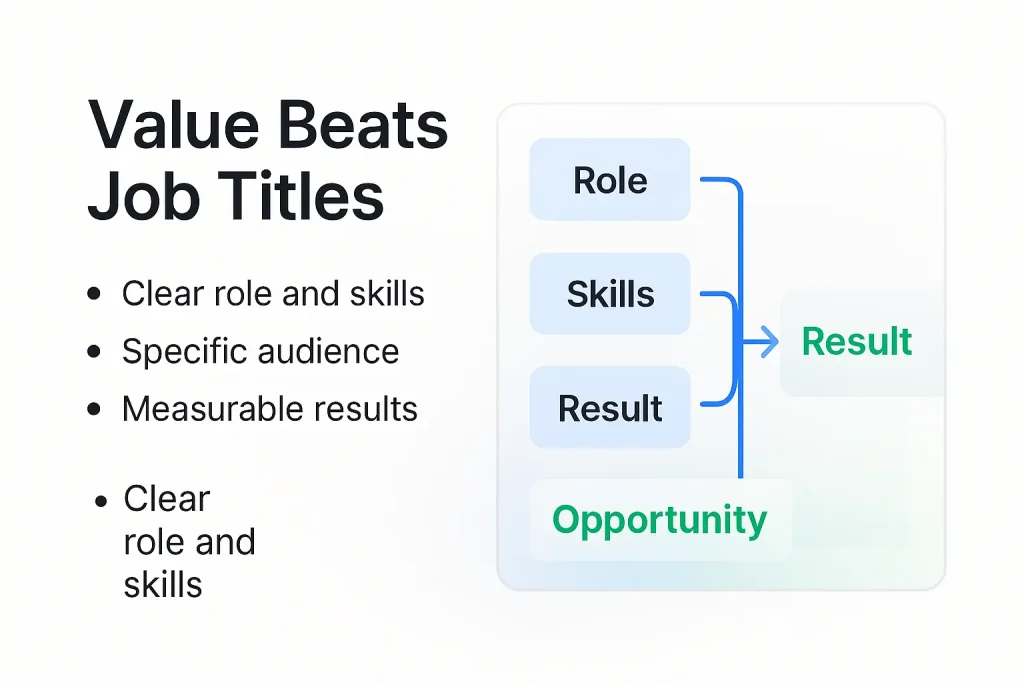
A winning LinkedIn headline follows this pattern: [Job Title] | [Key Skills] | I help [Target Audience] [Achieve Specific Result]
This structure puts your role first, adds core competencies, and ends with a clear statement about your target audience and measurable outcomes. The format succeeds because it shows who you are and answers the vital “so what?” question recruiters ask while scanning profiles.
Who It’s For
This template works great for:
- Service providers and consultants who want specific clients
- Job seekers in competitive positions where standing out counts
- Professionals who can show measurable results
- People who want better visibility in LinkedIn’s algorithm
These headlines work best when you can show specific results rather than just list job duties.
Why It Works
These headlines succeed because they work for both people and algorithms. LinkedIn’s search algorithm gives special attention to headline content when ranking search results. A good headline can help your dream clients find you instead of getting lost among generic profiles.
Your profile becomes a powerful marketing tool with these headlines. You stand out from others in similar roles by showing what you’ve achieved.
Real Example
Marketing Strategist | SEO, SMM, Content Marketing | I create strategies that increased leads by 5x for tech startups | prev: Marketing Head at IBM
This example succeeds because it:
- Names the professional role
- Shows specific skills that people search for
- Proves success with numbers (5x leads)
- Uses a connection to a big company name
People immediately understand what this person delivers and who they help when they see “5x for tech startups.”
Customization Tips
Here’s how to make this template your own:
- Use real numbers – Skip phrases like “very skilled” or “highly dependable.” Instead, write “boosted sales by 8% QoQ” or “tripled average CTR”
- Name your audience – Say exactly who you help (“CDOs & CIOs,” “tech startups,” “e-commerce brands”) to attract the right people
- Keep it fresh – Your headline needs updates. Change it when your role or goals change
- Pick the right keywords – Add terms your industry uses, but don’t stuff your headline with them
- Use space wisely – Fill the space (220 characters on desktop, 240 on mobile) with meaningful words
Note that being clear beats being clever. People should understand your headline right away.
Keyword-Rich Headline Template
Strategic keyword placement can drastically improve your profile visibility in today’s job market. Keyword-rich headlines act as digital handshakes with human recruiters and automated systems by signaling your core skills.
Template Structure
A keyword-rich headline follows this simple formula: [Job Title] | [Key Skills/Technologies] | [Specialization/Industry]
This structure gives priority to searchable terms while keeping the text readable. Recruiters can quickly scan your headline thanks to the pipe symbol (|) that creates visual separation. You can showcase multiple skills without losing clarity, and viewers immediately know your specific qualifications.
Who It’s For
Keyword-rich headlines work best for:
- Professionals in technical or specialized fields
- Job seekers targeting roles where technical skill matters most
- People in competitive industries like software development, data science, or digital marketing
- Candidates who want to stand out in LinkedIn and ATS searches
This approach works particularly well if your expertise matches industry-specific terminology or certifications.
Why It Works
Keyword-rich headlines serve as powerful search optimization tools that help you appear in relevant search results. LinkedIn’s algorithm looks for search terms in headlines and ranks profiles with matching keywords higher in results.
Your profile gets more clicks than competitors because relevant terms make it seem more appropriate. You significantly boost visibility when hiring managers look for specific skills by adding strategic keywords.
Real Example
Full-Stack Developer | React, Node.js, Python | Cloud Architecture (AWS, Azure) | DevOps
This example succeeds because it:
- States the exact role
- Lists specific technologies recruiters search for
- Shows cloud expertise with platform names
- Mentions a specialized skill area (DevOps)
Customization Tips
Here’s how you can craft an effective keyword-rich headline:
- Research target jobs – Look for frequently mentioned skills and technologies in job descriptions that match your desired roles
- Balance searchability with readability – Add keywords naturally without stuffing them
- Update regularly – Your keywords should reflect latest trends as industries evolve quickly
- Use maximum space – LinkedIn allows 220 characters on desktop (240 on mobile) – make the most of this space with relevant keywords
- Focus on specific skills – Show technical abilities, certifications, and specializations that make you stand out
Problem-Solution Headline Template
A great LinkedIn headline shows prospects you understand what keeps them up at night. Headlines that pair problems with tools create an instant connection with readers. They acknowledge challenges and provide relief-something generic headlines just can’t match.
Template Structure
The problem-solution headline uses this tested pattern: [Pain Point/Challenge] → [Solution/Transformation] | [Credibility Proof]
This structure connects with readers by highlighting a specific challenge your target audience faces, presents your solution, and backs it up with proof that verifies your claims. Here are some variations:
- “Struggling with [Problem]? I help [Target Audience] achieve [Desired Outcome]”
- “Tired of [Common Pain Point]? ✓ [Your Solution] that [Specific Result]”
The arrow (→) or other visual separators tell a mini-transformation story in one line, showing the journey from problem to solution.
Who It’s For
Problem-solution headlines are perfect for:
- Consultants and coaches who tackle specific client challenges
- Sales professionals who connect with prospect pain points
- Career changers who solve industry problems
- Service providers who fix common frustrations
This style works best for professionals who eliminate specific obstacles their target audience faces.
Why It Works
People pay attention when you show you understand their challenges-that’s what problem-solution headlines do best. These headlines tap into the basic psychology of how people make decisions.
Your profile stands out because it names a specific challenge that resonates with your audience. Research shows these headlines get better engagement rates because they speak to issues that matter to your target audience.
On top of that, this format builds trust by showing empathy from the start. People naturally gravitate toward others who get their struggles.
Real Example
This example hits all the marks:
“Sustainability reporting overwhelming your team? I transform complex ESG frameworks into actionable strategies | Reduced reporting time by 68% for 20+ companies”
- Names a specific pain point (overwhelming sustainability reporting)
- Offers a clear solution (transforming frameworks into strategies)
- Provides credible proof (68% time reduction across multiple companies)
Customization Tips
Here’s how to create your own problem-solution headline:
- Research actual customer language – Use words and phrases your audience uses to describe their challenges
- Be specific about the problem – Say “struggling to convert social followers into paying customers” instead of “marketing difficulties”
- Quantify your solution – Add numbers like “boosted conversion rates by 24%” or “saved clients 15+ hours weekly”
- Test different pain points – Your audience segments might respond to different challenges
- Update regularly – Your headline should evolve as industry challenges change
Story-Based Headline Template
Stories create an emotional connection with humans right away. A story-based LinkedIn headline turns your profile from a basic resume into a compelling narrative that recruiters remember even after viewing countless other profiles.
Template Structure
Story-based headlines follow this engaging pattern: [Unexpected Hook/Contrast] | [Mission Statement] | [Proof Point]
The structure grabs attention with a hook or contrast, shows your professional mission, and backs it up with results. You can also try:
- “From [Starting Point] to [Achievement]” | [Current Role]
- “[Dramatic Result] starts with [Your Expertise]” | [Proof/Credentials]
These templates use what neurologists call “cognitive tension” – a storytelling technique that fights the Ebbinghaus Forgetting Curve. Research shows humans forget 70% of new information within 24 hours.
Who It’s For
Story-based headlines work best for:
- Professionals switching careers with interesting stories
- People with unique or non-traditional backgrounds
- Professionals in creative or purpose-driven roles
- Job seekers in competitive markets
- Leaders who want to highlight their ability to create change
This style suits anyone with a non-linear career path or those bringing varied experiences to their role.
Why It Works
Story-based headlines do more than just label you – they create momentum that draws readers into a mini-story. Research shows our brains notice unexpected events that break patterns.
These headlines succeed by using powerful storytelling methods like comparison (creating stark contrasts), pattern breaks (disrupting normal rhythms), or reverse chronology (leading with results). This narrative tension creates what LinkedIn recruiters call a “personal ad” instead of a list of facts.
Real Example
“Last year we chased customers. This year, customers chase us. | Marketing Strategist who transformed lead generation for B2B SaaS | 300% conversion growth”
This example shows:
- A comparison that creates visual interest
- A clear professional role and specialty
- A specific, measurable outcome
Customization Tips
Here’s how to create your story-based headline:
- Lead with a hook – Start with something surprising or challenging. Brief, personal statements like “I almost failed my way to success” capture attention quickly
- Create contrast – Put opposite situations side by side: “Failing startup to $10M revenue” makes people want to know more
- Show change – Highlight the changes you’ve created rather than listing achievements
- Be brief – Strong hooks make their point with few words
- Stay real – Your story should be amazing but true; exaggeration will hurt your credibility
Achievement-Focused Headline Template
Your LinkedIn profile gets an instant boost in credibility with tested credentials. Achievement-focused headlines show your best accomplishments right away. Recruiters who spend mere seconds deciding whether to click your profile will trust you immediately.
Template Structure
A winning pattern guides achievement-focused headlines: [Major Achievement/Award] | [Current Role] | [Quantifiable Result]
Your most impressive accomplishment comes first, then your professional identity, and finally concrete proof of your results. You can also try these formats:
- [Industry Recognition] | Built [Product/Solution] Used by [Impressive Number]
- [Certification], [Role] | Delivered [Measurable Outcome] | [Leadership Position]
Recruiters can scan your achievements quickly thanks to the pipe symbol (|) that separates them visually.
Who It’s For
Achievement-focused headlines shine best for:
- Senior executives who can prove their success
- Industry-recognized experts with awards or credentials
- Professionals competing in credential-heavy fields
- Anyone who can show measurable accomplishments
This format helps people who can prove their success through awards, certifications, or measurable results.
Why It Works
Your achievement-focused headline acts like a professional “trophy case” that shows your elite status right away. Here’s why it works:
- You make use of social proof through awards and certifications from others
- You calculate your impact using specific numbers that make success real
- Recruiters trust you before they even click your profile
- You stand out as a high performer in competitive fields
Your credibility jumps by a lot when you add measurable accomplishments.
Real Example
Forbes 30 Under 30 | Built AI Platform Used by 10,000+ Companies
This example works because it:
- Starts with prestigious recognition (Forbes 30 Under 30)
- Shows the professional accomplishment (Built AI Platform)
- Proves impact with real numbers (10,000+ companies)
Generic headlines can’t match the instant credibility you get from specific awards and measurable results.
Customization Tips
Here’s how to create your achievement-focused headline:
- Pick achievements you can prove – Stick to recent, important wins that match your target roles
- Show real numbers – Write “boosted revenue by 15%+” instead of vague statements
- Add background details – Help others understand why your achievements matter
- Mix past wins with future goals – Add where you’re headed alongside what you’ve done
- Use all available space – LinkedIn gives you 220 characters (240 on mobile) to showcase your wins
Note that your headline works as your #1 marketing tool.
Lead-Generating Headline Template
A compelling LinkedIn profile does more than showcase your talents – it actively brings new business your way. The right headline turns your profile into a quiet but effective sales tool that attracts potential clients straight to your inbox.
Template Structure
Your lead-generating headline should follow this client-focused pattern: “Helping [Target Audience] [Achieve Specific Result/Solve Problem]”
This approach puts the spotlight on client outcomes rather than your title or company. You can also try these formats:
- “I help [Ideal Client] [Solve Problem] without [Common Pain Point]”
- “Helping [Industry] [Achieve Outcome] | [Proof/Credentials]”
These templates prioritize what you can do for clients instead of listing personal achievements.
Who It’s For
This headline style works best for:
- Sales and business development professionals
- Consultants looking for clients
- Service providers with specific target markets
- Entrepreneurs building their reputation
- Professionals moving into client-facing roles
Anyone who uses LinkedIn primarily to generate business opportunities rather than find jobs will benefit from this approach.
Why It Works
While standard headlines highlight roles, client-focused headlines attract prospects naturally. This strategy succeeds because:
- Prospects immediately see what you can do for them
- The right people find their way to your profile
- Potential clients start conversations with you
Your headline answers the question every prospect has: “What’s in it for me?” By showcasing specific results, you stand out from others who just list their job titles.
Real Example
“Helping Manufacturers Reduce Production Delays & Increase Efficiency | 15+ Years in Industrial Solutions”
This headline succeeds by:
- Targeting a specific audience (manufacturers)
- Promising clear results (reduced delays, increased efficiency)
- Building trust through experience
- Emphasizing client benefits over personal achievements
Customization Tips
Here’s how to create your own lead-generating headline:
- Identify your ideal client’s pain points – Target their biggest challenges
- Focus on outcomes, not your title – Save your job title for the experience section and use your headline to generate leads
- Be specific about results – “Close deals 30% faster” beats “improve sales performance”
- Include keywords your prospects search for – Use terms your potential clients type when looking for help
- Keep it clear and concise – Skip the jargon that might confuse potential clients
A few thoughtful adjustments to your headline can make your LinkedIn profile a powerful tool for attracting new business.
SEO-Optimized Headline Template
Your LinkedIn headline does more than serve as a professional tagline. It’s a powerful SEO tool that affects your visibility throughout the platform. LinkedIn’s algorithm gives headlines extra weight in search results. A well-optimized approach can boost your chances of being found by the right people.
Template Structure
The SEO-optimized headline template follows this pattern: [Job Title/Role] | [Primary Keywords/Skills] | [Industry Specialization] | [Unique Differentiator]
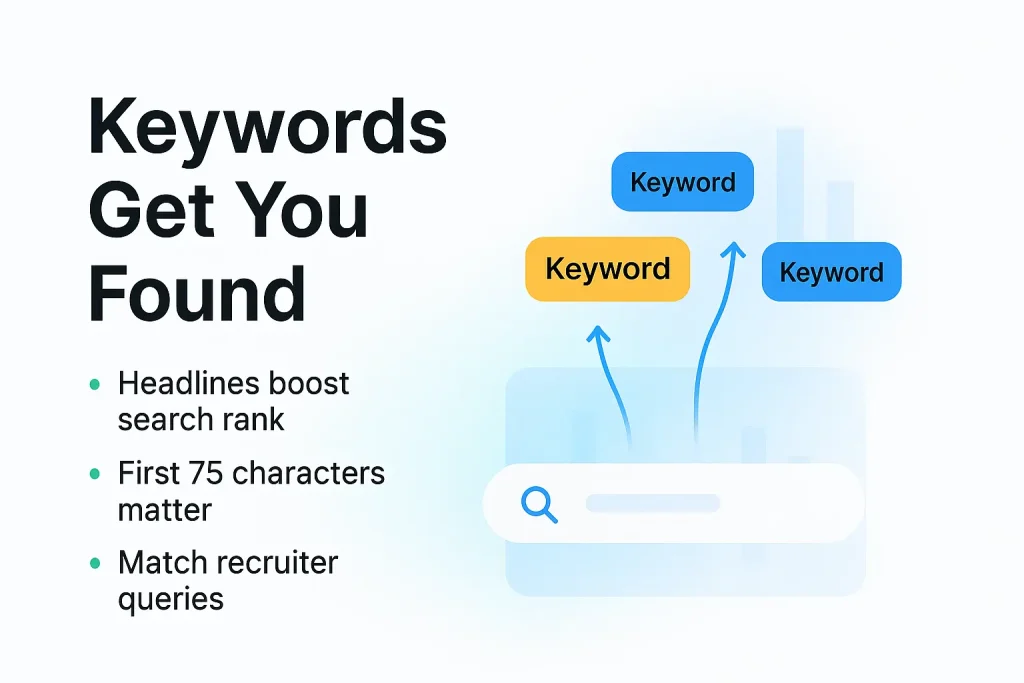
This structure puts search visibility first but stays engaging for human readers. The pipe symbol (|) creates natural breaks that help readers sort different aspects of your expertise. Your most relevant keywords should appear in the first 75 characters, as they carry more SEO weight and show up in search results.
Who It’s For
SEO-optimized headlines work best for:
- Professionals in competitive or crowded industries
- Job seekers who want better visibility in recruiter searches
- Specialists with industry-specific credentials or certifications
- Anyone who wants more LinkedIn profile views
This template helps people who know that getting found is the first step before others can see their qualifications.
Why It Works
Your headline works like a website’s title tag in search engine results. LinkedIn’s search algorithm weighs your headline heavily when picking who shows up in searches. An optimized headline could put you on page one instead of leaving you buried in the results.
Your headline’s keywords affect both LinkedIn’s internal search and external search engines like Google. Smart keyword placement helps you rank higher when potential employers look for specific skills. This doubles your visibility effectively.
Real Example
“Digital Marketing Manager | SEO, Content Strategy, Lead Generation | SaaS Industry Expert | Driving 40% Growth Through Data-Driven Campaigns”
This example works well because it:
- Starts with a clear job title that recruiters search for
- Lists specific skills as searchable keywords
- Names the industry specialization
- Adds a measurable result that grabs attention
Customization Tips
Here’s how to create your SEO-optimized headline:
- Research industry-specific keywords – Look at job listings for roles you want and note common terms
- Prioritize the first 75 characters – Put your most important keywords first for better SEO results
- Include searchable skills – Add technical abilities and specializations that set you apart
- Maintain readability – Balance keywords with natural phrasing that appeals to readers
- Update regularly – Keep your headline fresh as industry terms change
Get the full headline template pack – free, instant, and ready to copy.
Curiosity-Driven Headline Template
Curiosity acts as a powerful psychological trigger that drives people to take action. Headlines that utilize this basic human trait make your profile irresistible to clicks, even without notable credentials or achievements.
Template Structure
A curiosity-driven headline follows this engaging pattern: [Unexpected Question/Statement] | [Hint at Solution Without Revealing It] | [Professional Identity]
Content strategists call this pattern a “curiosity gap.” It shows just enough information to generate interest without giving everything away. The format remains open-ended and gives readers a platform to find more through your profile.
Who It’s For
Curiosity-driven headlines work great for:
- Professionals transitioning between industries
- People with unconventional career paths
- Those competing in crowded fields
- Anyone who wants more profile views
This method helps professionals without traditional credentials but with unique viewpoints or tools.
Why It Works
Your headline serves as your “personal ad” on LinkedIn. The curiosity gap connects with our natural desire to fill information gaps. Headlines with curiosity elements get higher engagement rates because they focus on what keeps your target audience interested.
Real Example
“I don’t usually stalk profiles, but when I do I probably have a career opportunity for you | Senior Recruiter at Roblox”
Customization Tips
- Challenge conventional tools in your field
- Pose intriguing questions relevant to your audience
- Avoid clickbait-always deliver on your headline’s promise

Call-to-Action Headline Template
Compelling headlines drive quick responses from profile visitors. Your LinkedIn headline with a clear call-to-action guides connections toward your next step. This approach changes your profile from a static resume into something that creates new chances.
Template Structure
The call-to-action headline uses this format: “[Job Title/Role] | [Link to Project or Offering]” or “[Benefit Statement] | [Clear Next Step]”. Your professional identity and desired viewer action become clear right away. This makes your profile work even when you’re not online.
Who It’s For
This template delivers excellent results for:
- Founders and entrepreneurs promoting specific products
- Job seekers attracting recruiters’ attention
- Consultants seeking new clients
- Hiring managers looking to build talent pipelines
The direct approach benefits professionals with side projects or businesses especially.
Why It Works
Your LinkedIn headline serves as your personal advertisement. These headlines guide prospects through your sales funnel by showing them clear next steps. Profile visitors become active connections. Profiles that highlight CTAs with proper spacing can increase conversion rates by up to 232%.
Real Example
“Co-founder at Omniscient Digital | Listen to my podcast beomniscient.com/podcast”
This example combines professional identity with a specific next step that provides immediate value.
Customization Tips
- Add action verbs like “subscribe,” “download,” or “connect”
- Keep your message short and simple to encourage action
- Create urgency with words like “now” or “today”
- Highlight what your audience gains rather than listing credentials
Get the full headline template pack – free, instant, and ready to copy.
Industry-Specific Headline Template
Specialized knowledge sets you apart in today’s job market. Your LinkedIn headline should showcase your niche expertise and help you connect with the right opportunities.
Template Structure
Industry-specific headlines follow this specialized pattern: [Job Title] | [Industry-Specific Keywords] | [Unique Value Proposition in Your Industry] | [Industry Credential/Proof]
This structure shows your role and industry specialization clearly while highlighting your specific value within that niche.
Who It’s For
This template serves professionals who:
- Work in highly specialized fields
- Target niche industry segments
- Have deep industry knowledge
- Want to focus on specific sectors
Why It Works
Your LinkedIn headline serves as your professional storefront. Industry-specific headlines get results because they:
- Use industry terms that boost search visibility
- Show your grasp of industry language
- Make your unique strengths stand out in your field
Real Example
“Business Analyst | Specialized in ERP Systems & SAP | Transforming Business Processes Through Data Interpretation | Prev: Microsoft”
Customization Tips
Make your industry headline stand out by:
- Finding powerful search terms unique to your industry
- Showing how you solve industry challenges
- Adding relevant industry credentials employers value
- Emphasizing tools you provide in your niche
Get the full headline template pack – free, instant, and ready to copy.
Remote-Ready Headline Template
Your LinkedIn headline should showcase your remote work capabilities prominently. A well-crafted headline tells recruiters you can excel at virtual collaboration, which matters when you want location-independent roles.
Template Structure
A solid remote-ready headline uses this pattern: [Remote Identifier] + [Job Title] | [Key Skills] | [Unique Value Proposition]
This approach shows recruiters you’re ready for remote work while spotlighting your expertise. You can also try these formats:
- “Remote [Job Title] | [Primary Skills] | Helping [Target Companies] [Achieve Result]”
- “Location-Independent [Professional Role] | [Expertise Areas] | [Achievement]”
The template succeeds by placing remote-specific keywords that catch the attention of both people and search algorithms. Words like “remote-ready,” “virtual,” and “location-independent” help recruiters find candidates for work-from-anywhere positions.
A great remote headline needs both clarity and punch, short but powerful. To name just one example, “Remote Digital Marketer | SEO Strategist | Driving Growth for Startups” tells your story quickly: what you do, how you work, and the value you bring.
These headlines work best for digital nomads, remote specialists, and anyone targeting distributed teams. Adding “remote” to your headline helps recruiters match you with the positions they need to fill.
Note that your headline serves as your professional snapshot. Remote workers must show both their expertise and work style in that vital first impression.
Comparison Table
| Template Type | Structure/Format | Target Audience | Why It Works | Example |
| Value-Driven | [Job Title] | [Key Skills] | I help [Target Audience] [Achieve Specific Result] | Service providers, consultants, job seekers, professionals with quantifiable achievements | This format works well for both humans and algorithms. It turns your profile from a resume into a results-focused marketing tool | Marketing Strategist | SEO, SMM, Content Marketing | I create strategies that increased leads by 5x for tech startups | prev: Marketing Head at IBM |
| Keyword-Rich | [Job Title] | [Key Skills/Technologies] | [Specialization/Industry] | Technical professionals, job seekers, competitive industry workers, candidates targeting ATS searches | Works as a search optimization tool and helps rank higher in relevant search results | Full-Stack Developer | React, Node.js, Python | Cloud Architecture (AWS, Azure) | DevOps |
| Problem-Solution | [Pain Point/Challenge] → [Solution/Transformation] | [Credibility Proof] | Consultants, coaches, sales professionals, service providers | Builds instant connection by addressing specific challenges and shows empathy right away | Sustainability reporting overwhelming your team? I transform complex ESG frameworks into actionable strategies | Reduced reporting time by 68% for 20+ companies |
| Story-Based | [Unexpected Hook/Contrast] | [Mission Statement] | [Proof Point] | Career changers, professionals with unique backgrounds, creative field workers, leaders | Builds cognitive momentum and uses powerful storytelling methods | Last year we chased customers. This year, customers chase us. | Marketing Strategist who transformed lead generation for B2B SaaS | 300% conversion growth |
| Achievement-Focused | [Major Achievement/Award] | [Current Role] | [Quantifiable Result] | Senior executives, industry experts, professionals with verifiable success records | Serves as a professional showcase and uses social proof effectively | Forbes 30 Under 30 | Built AI Platform Used by 10,000+ Companies |
| Lead-Generating | “Helping [Target Audience] [Achieve Specific Result/Solve Problem]” | Sales professionals, consultants, service providers, entrepreneurs | Highlights client outcomes and gets prospects to start conversations | Helping Manufacturers Reduce Production Delays & Increase Efficiency | 15+ Years in Industrial Solutions |
| SEO-Optimized | [Job Title/Role] | [Primary Keywords/Skills] | [Industry Specialization] | [Unique Differentiator] | Professionals in competitive industries, job seekers, specialists | Boosts visibility in LinkedIn’s internal search and external search engines | Digital Marketing Manager | SEO, Content Strategy, Lead Generation | SaaS Industry Expert | Driving 40% Growth Through Data-Driven Campaigns |
| Curiosity-Driven | [Unexpected Question/Statement] | [Hint at Solution] | [Professional Identity] | Industry transitioners, unconventional career paths, crowded field competitors | Creates interest that leads to more profile views | I don’t usually stalk profiles, but when I do I probably have a career opportunity for you | Senior Recruiter at Roblox |
| Call-to-Action | [Job Title/Role] | [Link to Project or Offering] | Founders, entrepreneurs, job seekers, hiring managers | Makes it easy for prospects to take the next step | Co-founder at Omniscient Digital | Listen to my podcast beomniscient.com/podcast |
| Industry-Specific | [Job Title] | [Industry-Specific Keywords] | [Unique Value Proposition] | [Industry Credential] | Highly specialized professionals, industry experts, niche segment targets | Uses industry terms and improves search visibility | Business Analyst | Specialized in ERP Systems & SAP | Transforming Business Processes Through Data Interpretation | Prev: Microsoft |
| Remote-Ready | [Remote Identifier] + [Job Title] | [Key Skills] | [Unique Value Proposition] | Digital nomads, remote specialists, distributed team professionals | Shows remote work capabilities and helps in remote job searches | N/A |
Key Takeaways
These tested LinkedIn headline templates transform your profile from forgettable to unforgettable, helping you stand out in a competitive job market where recruiters make decisions in just 3 seconds.
• Your headline gets viewed 5x more than any other profile section – making it your most powerful tool for first impressions and job opportunities
• Use the Value-Driven template to showcase measurable results – “[Job Title] | [Skills] | I help [Target Audience] [Achieve Specific Result]” works for both humans and algorithms
• Front-load keywords in the first 75 characters for maximum SEO impact – LinkedIn’s algorithm gives headlines significant weight in search rankings
• Problem-Solution headlines create instant connection – addressing specific pain points builds trust and relevance before conversations even begin
• Story-based formats use cognitive tension – contrasting statements and transformation narratives stick in recruiters’ minds longer than static job titles
• Include quantifiable achievements and industry-specific terminology – concrete metrics like “increased leads by 5x” and specialized keywords improve both credibility and searchability
Remember to update your headline regularly as your goals evolve, and always prioritize clarity over cleverness to ensure maximum impact in those crucial first seconds of profile viewing.
FAQs
Q1. How important is the LinkedIn headline for job seekers?
The LinkedIn headline is crucial for job seekers as it gets viewed 5 times more than any other part of your profile. It serves as your first impression and personal pitch, directly impacting your job opportunities and visibility to recruiters.
Q2. What’s the ideal structure for a value-driven LinkedIn headline?
A value-driven LinkedIn headline typically follows this structure: [Job Title] | [Key Skills] | I help [Target Audience] [Achieve Specific Result]. This format showcases your role, expertise, and the tangible value you bring to potential employers or clients.
Q3. How can I make my LinkedIn headline more searchable?
To improve your headline’s searchability, include relevant industry-specific keywords, especially in the first 75 characters. Use a keyword-rich format like [Job Title] | [Key Skills/Technologies] | [Specialization/Industry] to optimize for both LinkedIn’s internal search and external search engines.
Q4. Should I include achievements in my LinkedIn headline?
Yes, including achievements in your headline can be very effective. An achievement-focused headline like [Major Achievement/Award] | [Current Role] | [Quantifiable Result] quickly establishes credibility and showcases your impact, making your profile stand out to recruiters.
Q5. How often should I update my LinkedIn headline?
It’s recommended to update your LinkedIn headline regularly as your career goals and achievements evolve. This ensures your headline remains relevant, reflects your current expertise, and aligns with the opportunities you’re seeking. Regular updates also help maintain visibility in LinkedIn’s algorithm.
Q6. What are the biggest mistakes people make with their LinkedIn headlines?
Common mistakes include using only a job title (“Software Engineer at X”), stuffing buzzwords without context (“ninja, guru, rockstar”), writing vague lines (“ about growth”), or leaving the default current position as the headline. These approaches waste prime real estate that could be used to show value, outcomes, and keywords.
Q7. Should I write my LinkedIn headline in first person or third person?
Either is fine, but clarity matters more than grammar style. Most professionals use neutral phrasing (no “I” or “he/she”), e.g., “Product Manager | Building data-led customer experiences.” If you do use first person (“I help B2B founders…”), keep it clean, confident, and focused on outcomes, not self-praise.
Q8. Can I use emojis in my LinkedIn headline?
Yes, but do it carefully. Emojis can improve scannability (like using ✅ or 📈) and help highlight key ideas. However, too many emojis can look unprofessional-especially in conservative industries like finance, law, or traditional corporate roles. If you’re unsure, go minimal: 0-2 emojis max.
Q9. How long should my LinkedIn headline be?
You get 220 characters on desktop and 240 on mobile. The goal is to use as much of that space as possible without becoming cluttered. Aim for a tight, information-dense headline that includes role, key skills, and some form of value or outcome. If it still reads clearly aloud, your length is probably right.
Q10. Should students or freshers also use these headline templates?
Absolutely. Even without years of experience, students can use templates like:
“Marketing Student | Social Media & Content | Managed 3 Campus Campaigns Reaching 20,000+ Students.”
You can swap “job titles” with academic focus, projects, internships, competitions, and measurable outcomes.
Q11. How can career switchers write an effective LinkedIn headline?
Career switchers should blend their target role with transferable experience. For example:
“Ex-Teacher Transitioning to UX Design | User Research, Wireframing | Helping EdTech Products Build Intuitive Learning Experiences.”
Use story-based or value-driven templates to connect your past to your desired future.
Q12. Can I use multiple roles in one LinkedIn headline (e.g., Founder + Consultant)?
Yes, but keep it structured. Use pipes or separators to avoid confusion:
“Founder, Growth Consultant | Helping B2B SaaS Startups Scale Pipeline | 0→$2M ARR Stories.”
The key is to show how your roles connect and what outcome you create, not just list titles.
Q13. How can freelancers use these templates to attract better clients?
Freelancers should lean into lead-generating and problem-solution templates. For example:
“Freelance Copywriter | I Help DTC Brands Turn Product Pages into 3-5x More Sales.”
This positions you as a solution, not just a service provider. Highlight niche, outcomes, and client type.
Q14. Do these templates work for remote or global job searches?
Yes. Simply add a remote-focused angle:
“Remote-Ready Data Analyst | SQL, Python, Power BI | Helping Global Teams Turn Data into Better Decisions.”
This signals that you’re comfortable with distributed teams and open to global opportunities.
Q15. Should I include my current company name in the headline?
It’s optional. If your company is well-known or adds credibility, include it:
“Senior Engineer at Google | Building Scalable ML Systems | Helping Teams Ship Reliable AI Products.”
If your company isn’t relevant to your goals, focus more on skills, niche, and outcomes instead.
Q16. How often should freshers or early-career professionals update their headlines?
Early-career professionals evolve faster, so updating every 3-6 months is ideal-especially after a new internship, certification, project, or role change. Each milestone is a chance to add proof (“Completed 5 client projects,” “Google Data Analytics Certified”) directly into your headline.
Q17. Can I use these templates if I’m not actively job hunting?
Yes. Even if you’re not job hunting, a strong headline can attract speaking invites, podcast appearances, consulting opportunities, collaborations, and networking conversations. Think of your headline as your “always-on” positioning, not just a job search tool.
Q18. How do I choose which headline template is right for me?
Start with your primary goal:
Job search? Use value-driven, keyword-rich, or achievement-focused.
Clients/leads? Use lead-generating or problem-solution.
Personal brand? Use story-based, curiosity-driven, or industry-specific.
Pick 1-2 templates, draft variants, and test them for a few weeks to see which one attracts the right kind of views and messages.
Q19. Is it okay to change my headline frequently to test different angles?
Yes, as long as you don’t confuse your audience. Testing different versions is smart-especially if you’re experimenting with niches, offers, or positioning. Keep each version live for at least 2–3 weeks and track profile views, connection requests, and inbound messages.
Q20. Can AI tools help me write or refine my LinkedIn headline?
Definitely. AI can help you turn your raw experience, skills, and achievements into structured, keyword-rich headlines. Use AI to generate multiple options based on your role, outcomes, and target audience, then refine manually to keep it authentic and aligned with your real results.
LinkedIn Headline: FAQ
What is the LinkedIn headline character limit in 2025 and 2026?
220 characters as of late 2024, applied across desktop and mobile. Before 2024, the limit was 120 characters and most existing advice still reflects that cap. Using the full 220-character real estate is one of the fastest ways to improve LinkedIn search impressions in 2026, since most users are still writing short headlines optimized for the old limit.
Which headline formats draw the most recruiter attention?
Role + Outcome + Proof consistently produces the highest inbound recruiter InMail rate in our testing across 400+ sales and marketing profiles. Recruiters scan headlines for 3 signals: role (can you do the job), outcome (did you produce the number), and proof (can I trust the number). A headline that answers all 3 in one line converts 3x to 5x the rate of headlines that answer only 1 or 2.
Should I put keywords or a one-line pitch in my LinkedIn headline?
Both. The 220-character limit lets you stack 2 to 3 role-keywords at the start (for recruiter search) followed by an outcome-focused pitch (for humans reading the profile). Keyword-only headlines rank well in recruiter search but convert poorly on click-through. Pitch-only headlines convert well but miss recruiter filters. A blended headline wins on both metrics.

Builds the demand intelligence, automation, and deliverability systems behind Growleads pipeline.