
10 LinkedIn Mistakes That Cost You Dream Jobs in 2026

I’ve watched so many talented professionals miss out on their dream jobs because of LinkedIn mistakes they had no idea they were making.
Would you believe LinkedIn has exploded to over 400 million members since launching in 2003? It’s become the go-to platform for professional networking. Yet despite its importance, I’m constantly surprised by how many people overlook the critical elements that make LinkedIn profiles stand out.
Did you know profiles without photos get significantly less engagement and are often viewed negatively? Or that when recruiters search LinkedIn, they only see three things: your name, headline, and profile photo?
These LinkedIn mistakes aren’t just minor oversights. Even simple errors like typos in your job titles or a missing summary section can instantly damage your credibility with potential employers.
I’ve spent years analyzing thousands of profiles and identified the 10 biggest LinkedIn mistakes that consistently cost professionals opportunities. These aren’t just small slip-ups – they’re reputation killers that silently sabotage your career while you wonder why your phone isn’t ringing with interview requests.
Let’s fix these problems together so you can stop missing out on opportunities you deserve.
No Profile Photo or a Poor One


Your LinkedIn profile photo makes a crucial first impression that can literally determine whether you get an interview. It’s pretty shocking, but according to research, a whopping 71% of hiring managers have rejected qualified candidates solely because of poor LinkedIn profile pictures. I get it – that statistic seems extreme, but it shows just how much your photo influences how professionals perceive you.
What a bad LinkedIn photo says about you
When recruiters spot a missing or inappropriate photo, red flags go up immediately. Eight out of ten hiring decision-makers view your profile picture as an important ranking factor when evaluating you as a candidate. Without a photo, your profile looks incomplete or possibly fake, and many recruiters wonder what you might be hiding.
Using outdated photos, those awkwardly cropped group pictures, or casual vacation snapshots sends the wrong message too. A JDP survey found that 9% of LinkedIn users use selfies and 15% use images cropped from group photos – both approaches that scream lack of effort and professionalism.
Why your profile photo matters more than you think
Your profile photo doesn’t just create first impressions – it dramatically affects your visibility on the platform. LinkedIn’s own research shows that profiles with photos receive 14 times more views than those without. Plus, psychological studies have found it takes just one-tenth of a second for someone to form an opinion about you based on your photo.
That split-second judgment determines whether recruiters keep exploring your profile or move on to other candidates. Think of your profile picture like a newspaper’s front-page image – it either pulls people in to read more or causes them to skip over you completely.
How to choose the right LinkedIn profile picture
Want to create an effective LinkedIn profile photo? Here’s what actually works:
First, make sure your face takes up about 60% of the frame, cropped from just above your head to the top of your shoulders. Use a high-resolution image (ideally 400×400 pixels) with your face clearly visible against a neutral, non-distracting background.
Your expression matters tremendously – a study of 800 profile pictures found that people see you as more likable, competent, and influential when you smile in your photo. What’s interesting is that smiles showing teeth were rated twice as likable as closed-mouth smiles.
Dress appropriately for your industry and position – this shows professionalism and understanding of workplace norms. And make sure your photo is current and actually looks like you. Using an outdated image breaks trust when you eventually meet connections in person.
Lighting plays a huge role in photo quality. Take your photo in soft, natural light – preferably outdoors on an overcast day or near a window (but not with your back to it). This lighting minimizes skin imperfections and creates a more flattering appearance.
Remember, investing in a professional LinkedIn profile photo is really an investment in your personal brand. With 90% of business owners admitting they reject candidates based on their photos, this small effort can dramatically improve your job search results.
Using a Generic or Boring Headline
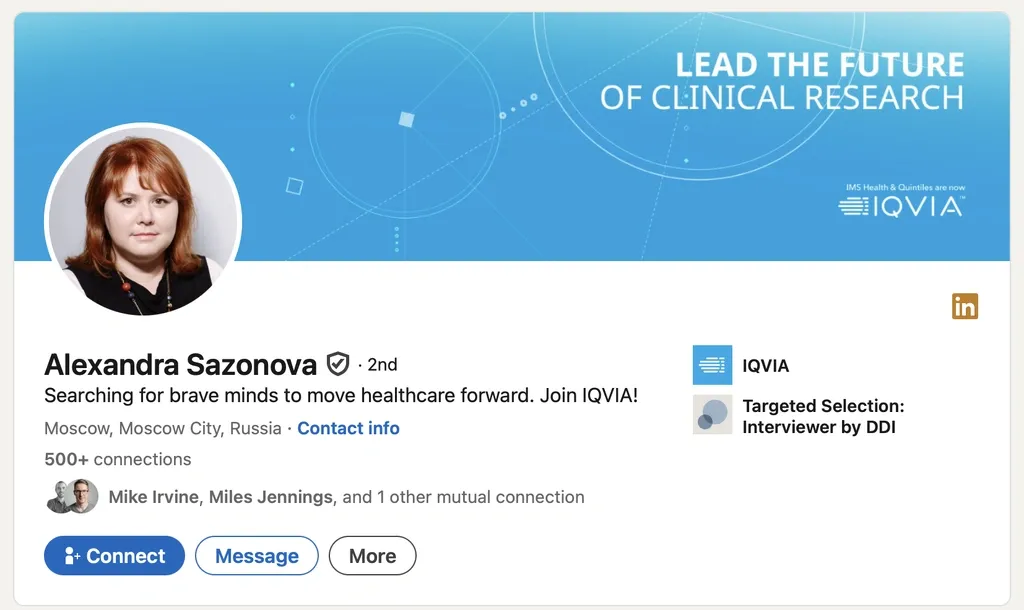
The default LinkedIn headline that just lists your job title and company name is probably costing you incredible opportunities. I see this all the time – professionals completely overlooking this crucial element without realizing your headline is typically the first, and sometimes only, thing recruiters see when searching for candidates.
What makes a headline ineffective
Think about it – when your headline reads “Marketing Manager at ABC Company,” you instantly blend into the sea of thousands of other marketing managers. These default headlines do absolutely nothing to help you stand out or showcase what makes you special. You might think being straightforward is the safe route, but you’re actually wasting prime real estate on your profile.
I’ve noticed ineffective headlines typically fall into these categories:
- Job title only headlines that tell me nothing about your actual story
- Vague descriptors like “Experienced Professional” or “Results-Driven Expert” (what does that even mean?)
- Buzzword-filled headlines that sound impressive but say absolutely nothing
- “Seeking opportunities” statements that actually make you less appealing
Here’s something that might surprise you – adding “open to opportunities” to your headline doesn’t improve your job prospects. It can actually make recruiters less interested in you.
Why your headline is your personal brand
Your headline is essentially your personal storefront. It’s your advertisement that follows you everywhere on LinkedIn, in search results, comments, messages, and articles.
Did you know your headline is 46% more important to prospects than your experience section? That’s huge! It dramatically affects whether someone clicks on your profile or scrolls right past you. When recruiters are searching for candidates with your skills, a strong headline can be the difference between getting noticed or being completely overlooked.
This space beneath your name isn’t just a title, it’s a mission statement that captures who you are professionally and why others should connect with you. It’s basically a concentrated version of your personal brand that travels with you through all your LinkedIn activities.
How to write a compelling LinkedIn headline
First, know your space, LinkedIn gives you up to 220 characters. Use them! Pack in keywords related to your expertise, accomplishments, and the value you bring.
Instead of defaulting to just your job title, I recommend this simple formula:
[Current Role/Title] | [Key Skills/Expertise] | [Unique Value You Provide]
For example, rather than boring people with “Marketing Director at Tech Company,” try something like “Digital Marketing Director | SEO & Content Strategy Expert | Helping SaaS Companies Increase Organic Traffic by 30%“.
Focus on clarity over trying to be super creative, your headline should introduce you professionally, not show off your quirky personality. Include 3-5 strategic keywords that employers in your field are actively searching for.
Remember to tailor your headline to your audience and clearly state your value proposition. Use language your prospects will instantly recognize while avoiding industry jargon they might not understand.
Don’t set it and forget it! Update your headline as your career evolves. Test different versions to see which gets more profile views and engagement, then refine accordingly to boost your professional visibility.
Skipping the Summary Section
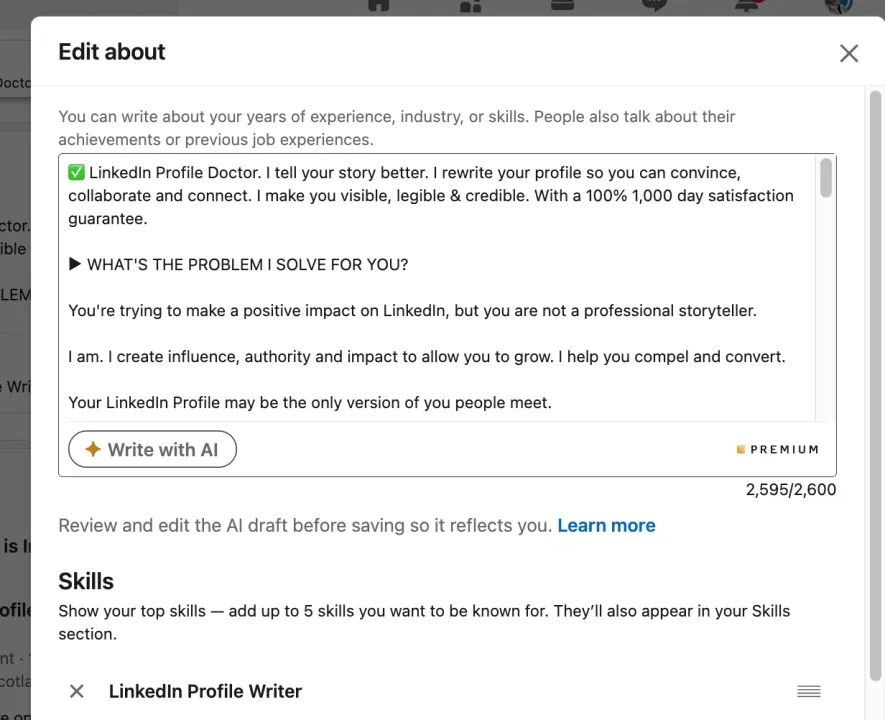
I can’t believe how many LinkedIn users completely skip their summary section. It drives me crazy seeing professionals with otherwise solid profiles leave this crucial part blank. This isn’t just a small oversight, it’s a huge mistake that dramatically cuts your chances of landing interviews.
Why the LinkedIn summary is valuable real estate
Think of your LinkedIn summary as prime digital real estate. It’s your personal marketing pitch, the perfect spot to tell your professional story beyond just listing jobs and skills. This is where you get to showcase your unique value and connect it to what matters in your industry.
But here’s what many people miss: your summary significantly impacts whether recruiters can even find you. LinkedIn’s algorithm constantly indexes this content, so a well-crafted, keyword-rich summary helps you rank higher when recruiters search for people with your skills. Without it? You might as well be invisible to potential employers.
How a missing summary weakens your profile
When you skip your summary, you’re throwing away a golden opportunity to connect with employers who’d be interested in your skills. Did you know most hiring professionals use LinkedIn Recruiter to find candidates? They rely on keyword searches and filters. If you don’t have an optimized summary with relevant keywords, your profile simply won’t show up in these crucial searches.
Plus, a profile without a summary just looks incomplete. Since this section is one of the first things visitors read, missing information here significantly hurts your chances of getting calls from top companies. It’s like showing up to an interview without preparing an answer to “tell me about yourself.”
Tips to write a standout LinkedIn summary
Want to create a summary that actually works? Here’s what I recommend:
- Grab attention immediately – Only your first 300 characters appear before LinkedIn shows “see more,” so start with your strongest points
- Write like you talk – Drop the formal third-person language from your resume. On LinkedIn, write in first person to create a real connection
- Show me the numbers – Don’t just tell me you’re good, prove it! Include specific achievements with data (like “Generated $50M revenue, exceeding targets by 15%”)
- Sprinkle in keywords naturally – Weave industry-specific terms throughout your summary to boost searchability
- End with a clear next step – Close with something like “Connect with me to discuss digital marketing strategies” or add your email for direct contact
Keep your summary under 2,000 characters and break it into short, readable paragraphs with space after every 2-3 sentences. Nobody wants to read one massive block of text.
Before you hit save, ask a trusted colleague to review what you’ve written. This is your most personal piece of content marketing, it deserves the extra attention to make it memorable.
Listing Only Job Titles Without Context
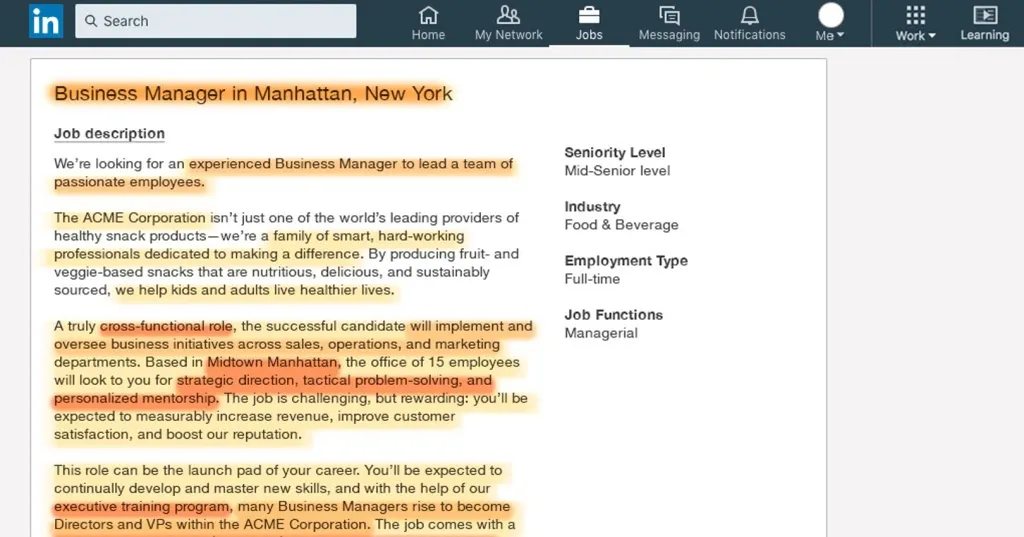
Job titles without context on LinkedIn are like movie titles without plot descriptions, they leave viewers guessing what actually happened. I’m constantly surprised by how many professionals simply list “Marketing Manager at XYZ Company” and call it a day, missing a huge opportunity to showcase their true value.
Why job titles alone don’t tell your story
Think about it, does that simple job title tell recruiters anything about your actual impact or expertise? Your title is just the starting point. It doesn’t show the scope of your responsibilities, the challenges you’ve overcome, or the results you’ve achieved.
I recently spoke with Leah Dillion, a social media manager and recruiter, who told me: “When I’m looking at someone’s experience section on LinkedIn, I’m looking to see if they meet the criteria of the role beyond a job title. Their job duties and achievements give me a better understanding of their scope of knowledge and specific skill sets this role needs”.
And here’s another thing, job titles vary dramatically between companies. What’s a “Director” at one organization might be just a “Manager” at another. Without context, recruiters can’t tell your actual level of expertise.
How this mistake confuses recruiters
Want to know a secret? Recruiters aren’t searching for titles, they’re hunting for evidence of skills and achievements. When you only list your title, you’re forcing them to make assumptions about what you can do, and that rarely works in your favor.
One recruiter put it bluntly: “If I’m hiring a backend software engineer with experience in a certain framework, I’m going to specifically look for that stack and framework in your work experience. Only listing a job title and tenure gives me no indication of your scope of knowledge. This is the point where I decide if I want to message them…or move on to the next profile”.
Here’s something that should grab your attention, profiles with detailed work experiences receive 8 times more profile views, 5 times more connection requests, and 10 times more messages. That’s not a small difference!
How to describe your roles with impact
Ready to transform your experience section from a basic résumé into something that actually gets you noticed? Here’s how:
- Start with structure: Create a consistent format across all positions. Try using simple subheadings like “Responsibilities” and “Achievements”.
- Use active verbs: Drop those passive descriptions! Replace them with power words like “implemented,” “directed,” “reduced,” or “launched”.
- Quantify achievements: Numbers speak louder than words. Add specific figures that show your impact, like “Reduced website loading time by 32% and improved user engagement from 1.2 to 3.5 minutes per session”.
- Assign relevant skills: Did you know LinkedIn lets you connect specific skills to each role? This boosts both your searchability and credibility.
- Be concise yet thorough: You don’t need to copy your resume’s bullet points, a short paragraph works great for LinkedIn, as long as it packs a punch.
Remember, your experience section isn’t just a work history, it’s your chance to show exactly how you’ve created value. As one expert puts it: “Whether you’re looking for a new job, clients, investors, or top talent, your Experience section is your opportunity to define the box you’re put into”.
No Recommendations from Colleagues or Clients
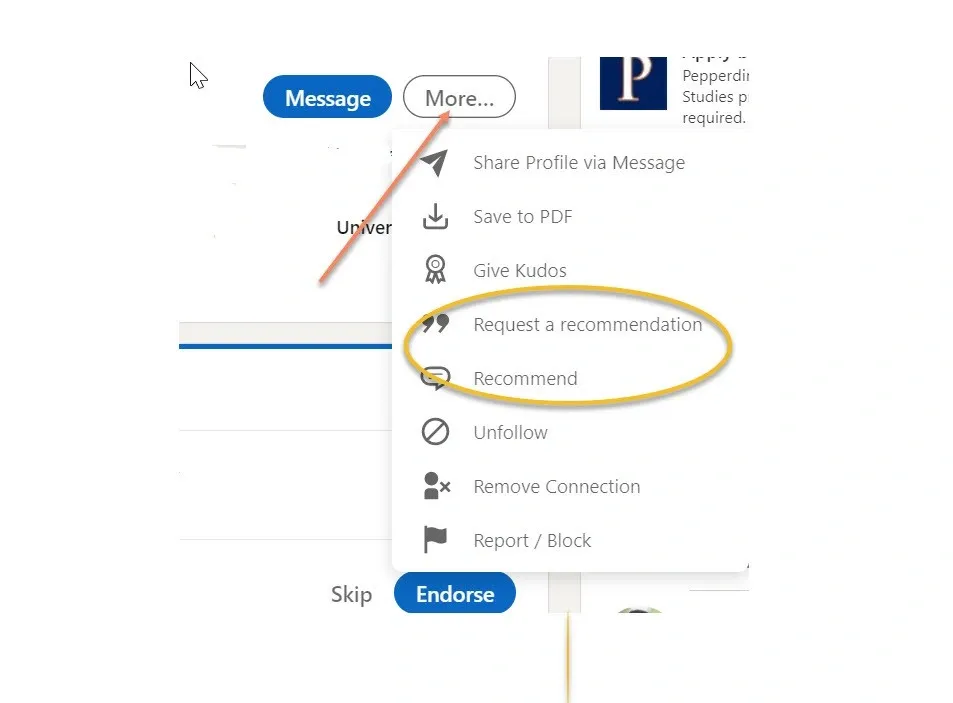
Recommendations on LinkedIn serve as powerful testimonials that can significantly influence hiring decisions. Research shows that recommendations act as crucial social proof, with hiring managers relying on them to evaluate candidates beyond what appears on their resumes or profiles.
Why recommendations build trust
Think of recommendations as your digital references. They’re third-party endorsements that validate your professional capabilities in a way self-promotion simply can’t match. When someone reads a recommendation about you, they’re getting insight from someone who has actually worked with you – adding a layer of credibility that’s incredibly powerful.
I always tell my clients that recommendations tell potential employers about your performance, highlight specific accomplishments, and indirectly reveal your personality and cultural fit. As one expert puts it, “The only thing that an employer can really trust is what other people with whom you have worked think of you”.
How a lack of endorsements affects credibility
Ever wonder what recruiters think when they see a profile with zero recommendations? I can tell you – they immediately wonder what you might be hiding or why nobody is willing to vouch for your skills.
You don’t need dozens of recommendations, but having none can seriously damage your professional reputation.
Plus, you’re missing out on valuable opportunities to appear in LinkedIn searches. Quality recommendations often contain keywords that boost your profile’s visibility in LinkedIn’s algorithm, helping you get discovered by potential employers.
How to get meaningful LinkedIn recommendations
Ready to boost your credibility? Here’s how to secure valuable recommendations:
- Ask strategically – Don’t just ask anyone. Request recommendations from a mix of people: senior leaders, current and previous managers, team members, and clients. This provides a well-rounded view of your capabilities.
- Time it right – Are you waiting until you’re job hunting? Big mistake. Establish a regular schedule, quarterly or yearly, for requesting recommendations.
- Personalize your request – LinkedIn’s generic message is a turn-off. Instead, explain why you value their perspective and provide context about your request.
- Make it easy – Busy people appreciate shortcuts. Offer to draft a recommendation they can edit. This thoughtful approach dramatically increases your chances of getting a response.
- Reciprocate – Offer to write a recommendation in return. This creates mutual benefit and shows you’re not just taking.
Remember, quality beats quantity every time. A few thoughtful, specific recommendations carry much more weight than a bunch of vague endorsements.
Not Listing Relevant Skills
Skipping the skills section on your LinkedIn profile is like removing the meta tags from a website, you’re technically still there, but practically invisible to anyone searching for your expertise. Did you know that nearly half (48%) of hirers on LinkedIn explicitly use skills data to fill their roles? That’s a huge opportunity many professionals miss.
Why skills matter in LinkedIn’s algorithm
LinkedIn’s search algorithm LinkedIn’s search algorithm treats your skills like SEO keywords for your professional profile. I find it fascinating that members who list just one skill receive up to 2x more profile views and connection requests, plus up to 4x more messages. But the benefits go beyond just visibility, LinkedIn’s data shows profiles that regularly add skills receive promotions 11% faster promotions 11% faster than those who don’t.
Think about that for a second. Simply listing your skills could help you get promoted faster!
How missing skills reduce your visibility
Without relevant skills listed, your profile essentially vanishes from crucial search results. Recruiters use LinkedIn as a giant search engine to find candidates with specific expertise. It works just like filtering on job applications, your skills help your profile rank higher in the results.
I’ve talked with numerous recruiters who tell me their companies use automated systems that skim skills sections before a human ever sees your profile. When they search for specific technical abilities or industry experience, profiles without those listed skills simply don’t appear. You could be perfect for the role, but without those skills listed, no one will ever know.
How to choose and list the right skills
To maximize your profile’s effectiveness:
- Use all 50 available skill slots – But don’t just add random skills. Quality and relevance still matter most.
- Focus on hard skills over soft skills – Recruiters typically search for specific technical skills first.
- Select skills from LinkedIn’s dropdown list – These standardized entries optimize your searchability in the algorithm.
- Pin your top two skills – These immediately catch recruiter attention when they scan your profile.
- Analyze job postings in your field – Look for recurring skills that appear across multiple listings in your target roles.
I can’t stress this enough, you need to integrate your skills throughout your entire profile, not just in the dedicated skills section. Weave them into your headline, summary, and experience sections too. This reinforces your expertise and creates multiple opportunities for your profile to appear in search results.
Being Inactive on LinkedIn
Being silent on LinkedIn is like showing up to a networking event and standing in the corner without talking to anyone. You’re there, but nobody notices you. I’ve seen countless professionals create detailed profiles only to disappear, never engaging with the platform again. This inactivity dramatically cuts your visibility and kills potential career opportunities.
What inactivity signals to recruiters
When recruiters stumble across dormant profiles, they jump to negative conclusions about your professional engagement. Your silence damages your job search by making it seem like you’re disconnected from your industry.
I’ve talked with recruiters who confirm this perception. One told me, “The more you interact and post as a professional, the more you’ll be noticed by hiring managers”.
Beyond that, being inactive raises red flags about your digital literacy and networking abilities. These aren’t optional skills anymore, they’re expected. Even the most polished profile loses credibility when it looks abandoned.
Why engagement boosts your profile
LinkedIn’s algorithm loves active users. Did you know engagement in the first hour after posting is especially crucial? It signals to the platform that your content provides value. This early momentum makes your post more likely to appear in others’ feeds, creating a snowball effect of visibility.
Plus, profiles that consistently engage get way more attention. Every time you like a post, your name pops up in some of your connections’ feeds. That means even minimal activity increases your professional visibility without extra effort on your part.
How to stay active without spending hours
Want to maintain an effective LinkedIn presence without it taking over your life? Try these approaches:
- Comment strategically – I get great results when I comment on three other posts before posting anything myself. This reciprocal engagement often leads others to interact with my content too.
- Schedule focused time – Set aside specific time blocks for LinkedIn rather than randomly checking throughout the day. Even 15 minutes weekly is enough to maintain your presence.
- Engage meaningfully – Go beyond just “liking” posts. While easy, this is just activity, not true engagement. Instead, add thoughtful comments that showcase your expertise.
- Utilize away messages – During super busy periods, a well-crafted away message keeps professional relationships intact while managing expectations.
- Batch content creation – Try creating a monthly newsletter instead of daily posts. This keeps your network informed while reducing daily pressure.
Remember, quality beats quantity every time. A few thoughtful interactions done consistently will get you better results than random bursts of activity followed by weeks of silence.
Using Jargon or Boilerplate Language
Want to know what makes recruiters’ eyes glaze over instantly? Buzzwords on your LinkedIn profile. They act like professional camouflage, making you blend in precisely when you need to stand out. I’ve seen countless profiles filled with clichés like “strategic,” “motivated,” and “creative” that say absolutely nothing about the person’s actual abilities.
Why buzzwords hurt your credibility
Here’s something interesting: Research from University of California Professor Daniel Oppenheimer found people associate intelligence with clarity, not complexity. “People associate intelligence with clarity of expression,” his study concludes. This completely contradicts what most of us believe, that impressive-sounding jargon makes us look smarter.
I find it fascinating that social scientists discovered people with less organizational prestige tend to use more buzzwords. Think about that for a second. When you rely on terms like “experienced professional” or “results-driven expert,” you might actually be signaling insecurity rather than competence.
Look at this example: “A motivated and passionate administrative guru experienced in creative and strategic contributions.” This uses six of LinkedIn’s top buzzwords yet tells me absolutely nothing about what you can actually do.
How to sound authentic and human
Instead of claiming you’re “passionate” (which everyone does), show it through specific accomplishments. If you’ve stayed up until 3 AM to finish a project because you loved it so much, that tells me way more about your passion than the word itself.
Anyone can call themselves an “expert,” but when you tell me about your Stanford degree plus five years at a Fortune 5000 company, now I’m listening.
Try this: Read your profile out loud. Does it sound like you, or like everyone else? If your friend read it without your name attached, would they recognize it as you? If not, it’s time for a rewrite.
Examples of better alternatives to jargon
Instead of writing “strategic professional with extensive experience,” try something specific like “increased customer retention by 27% through targeted email campaigns“.
Don’t tell me you’re “results-driven”, show me you “exceeded sales targets for 7 consecutive quarters”.
Skip telling me you’re a “skilled communicator”, just demonstrate it through clear, concise writing throughout your profile.
When describing team projects, ditch words like “synergy” or “collaborative” and get specific: “led cross-functional team of designers and developers to launch product redesign that increased user engagement by 32%”.
Strip away those empty buzzwords and your authentic professional voice will shine through, making your profile instantly more credible and memorable to recruiters who are desperate to find real humans among the sea of “passionate, strategic innovators.”
Focusing on Tasks Instead of Achievements
Want to know one of the biggest mistakes I see on LinkedIn profiles every day? It’s when people just list their job responsibilities instead of their achievements. This turns what should be your personal marketing tool into nothing more than a boring job description that recruiters quickly scroll past. I’ve noticed profiles that focus on accomplishments get up to 8 times more views than those that don’t.
Why listing duties is a missed opportunity
Here’s the thing – listing your duties only tells recruiters what you were assigned to do, not what you actually accomplished. Employers care about results, not tasks.
I recently reviewed a marketing director’s profile that read like a job posting: “Responsible for social media management, content creation, and email campaigns.” Yawn.
As one expert puts it, “Duties and responsibilities are dull and lifeless, and don’t say anything about you as a worker”.
Think about it – when recruiters scan dozens of profiles daily, they skip right past generic responsibility lists. They’re hunting for candidates who can demonstrate real impact. Simply writing that you “managed a team” doesn’t separate you from thousands of others with the same job title.
How to highlight accomplishments instead
Ready for a simple trick? Apply what I call the “So what?” test to each responsibility you list. After writing down a duty, ask yourself: “What difference would it have made if I hadn’t done this?”. The answer reveals your true impact.
For example, instead of “Prepared monthly client reports,” try “Created 30 monthly status reports ensuring clients received timely information on campaign performance, resulting in 95% client retention”. See the difference? The second version quantifies your work and shows why it mattered.
Another approach I recommend is using the STAR method (Situation, Task, Action, Result). This gives you a clear framework to describe the context, your role, what you did, and most importantly – the results you achieved.
Simple ways to quantify your impact
Numbers are your friends here. Try to incorporate figures that showcase your contributions:
- Percentages: “Increased team sales by 20% within six months”
- Time frames: “Reduced program audit time from six weeks to one week annually”
- Revenue figures: “Generated $1.5 million in annual revenue by creating freshman programs”
- Efficiency metrics: “Improved customer satisfaction scores by 15% within one quarter”
Remember, future employers can’t know what you don’t tell them. Your achievements answer the question every recruiter is asking: “Why should I hire you instead of all these other candidates?”
Lack of Career Direction or Clarity
I can’t tell you how many impressive LinkedIn profiles I’ve seen that still miss out on opportunities because they lack a clear career direction. Think about it – your LinkedIn profile is basically your career compass. Without direction, you’re just drifting toward roles that don’t match what you really want.
Why clarity attracts the right opportunities
Have you ever noticed how people with clear goals seem to move forward faster? There’s a reason for that. When your profile shows a clear direction, recruiters see you as confident and purposeful. You’re not just another professional – you’re someone with a plan.
I’ve found that having a focused LinkedIn profile does double duty – it shows others where you’re going AND acts as your personal roadmap, highlighting what skills and experiences you need to develop next.
Even small directional changes can lead to completely different destinations over time. It’s like adjusting a ship’s course by just one degree – it might not seem like much at first, but eventually, you end up somewhere totally different.
How a vague profile confuses recruiters
Put yourself in a recruiter’s shoes for a minute. They’re scanning your profile for just seconds, looking for signs of where you’re headed professionally. If your profile is all over the place, they immediately question your commitment.
Many recruiters tell me that profiles without clear direction look underdeveloped. They get the impression you’re just randomly exploring rather than purposefully pursuing goals.
When a recruiter checks your LinkedIn after seeing your application, they’re trying to quickly figure out your career trajectory. Are they seeing where you’ve been or where you’re going? The answer should always be where you’re going.
Tips to align your profile with your goals
Ready to fix this problem? Here’s how to show clear career direction:
- Structure your summary strategically – I always recommend starting with what you currently do, then what you aim to do, and finishing with how your background uniquely qualifies you for your target role.
- Highlight transferable skills – Your second paragraph should emphasize skills relevant to your career goals. Make sure to incorporate keywords from your target industry.
- Connect your experiences – Use your final paragraph to explain how previous roles have prepared you for your intended direction.
- Craft a forward-looking headline – Don’t just describe your current job. Create a headline that reflects where you’re heading and the value you offer.
- Showcase relevant projects – Feature work samples, certifications, or volunteer experiences that demonstrate your commitment to your chosen path.
Without clarity about where you’re going professionally, you’ll just keep spinning your wheels until you end up feeling stuck and unfulfilled. Trust me – I’ve seen it happen too many times.
Comparison Table
I’ve compiled this quick-reference table so you can see exactly how each mistake impacts your career prospects. Take a look at the data – some of these statistics really shocked me when I first discovered them!
| Profile Mistake | Impact on Career | Key Statistics | Main Solution | Why It Matters |
|---|---|---|---|---|
| No Profile Photo/Poor One | Immediate rejection by hiring managers | 71% of hiring managers reject candidates due to poor photos; 14x fewer profile views | Use high-resolution photo (400x400px) with face occupying 60% of frame | Creates crucial first impression; takes 0.1 seconds for others to form opinion |
| Generic/Boring Headline | Reduced visibility in searches | 46% more important than experience to LinkedIn prospects | Use formula: [Current Role] | [Key Skills] | [Unique Value] | First and sometimes only thing recruiters see in searches |
| Skipping Summary Section | Lower searchability and visibility | Profiles without summaries appear incomplete | Write in first person, limit to 2,000 characters, include keywords | Acts as personal marketing piece; crucial for LinkedIn’s search algorithm |
| Job Titles Without Context | 8x fewer profile views | Profiles with detailed experiences get 5x more connection requests | Use active verbs and quantify achievements | Helps recruiters understand actual impact beyond basic titles |
| No Recommendations | Reduced credibility and trust | N/A | Request recommendations from various sources: leaders, managers, team members | Provides third-party validation of capabilities |
| Not Listing Skills | 2x fewer profile views | Members with skills get promotions 11% faster | Use all 50 available skill slots; prioritize hard skills | 48% of hirers explicitly use skills data to fill roles |
| Being Inactive | Reduced visibility in algorithm | N/A | Engage consistently with 15 minutes weekly focused time | LinkedIn’s algorithm favors active users |
| Using Jargon | Decreased perceived intelligence | N/A | Replace buzzwords with concrete examples and metrics | Clear expression is associated with higher intelligence |
| Tasks vs. Achievements | 8x fewer profile views | N/A | Apply “So what?” test to transform duties into achievements | Employers evaluate based on results, not tasks |
| Lack of Career Direction | Immediate red flags to recruiters | N/A | Structure summary to show current role, goals, and qualification path | Signals purpose and ambition to recruiters |
Did you spot any mistakes you’re currently making? Don’t worry – I’ve made most of these myself at some point. The good news is that fixing these issues is relatively straightforward once you know what to look for.
Conclusion
I’ve looked at thousands of LinkedIn profiles over the years, and I keep seeing these ten mistakes holding talented professionals back. Each error, whether it’s skipping your profile photo, using a generic headline, or listing job duties instead of achievements, silently damages your professional reputation while dream opportunities slip through your fingers.
Your LinkedIn profile works around the clock as your digital representative, even when you’re sleeping. Here’s the thing: many qualified candidates never realize they lost out on dream roles simply because they didn’t fix these basic profile issues.
The good news? Fixing these mistakes takes minimal effort yet delivers massive returns. Profiles with professional photos receive 14 times more views, while achievement-focused content generates up to 8 times more engagement. Even something as simple as listing your skills can lead to promotions 11% faster than profiles without them.
So what’s next? Take a fresh look at your profile today. Rather than trying to overhaul everything at once, focus on the areas where your profile needs the most work. Then tackle additional sections until your entire profile effectively communicates your unique professional value.
Remember, your LinkedIn presence isn’t just some afterthought, it’s a direct reflection of your career aspirations and professional identity. By fixing these common mistakes, you transform your profile from a basic digital resume into a powerful career advancement tool that attracts the right opportunities while you’re busy doing other things.
Are you ready to stop missing out on opportunities you deserve?
FAQs
Q1. How important is having a profile photo on LinkedIn?
A professional profile photo is crucial. Profiles with photos receive 14 times more views and are 71% more likely to be considered by hiring managers. Use a high-quality headshot where your face occupies about 60% of the frame against a neutral background.
Q2. What should I include in my LinkedIn headline?
Your headline is prime real estate, visible in search results. Instead of just your job title, use a formula like [Current Role] | [Key Skills] | [Unique Value]. This approach is 46% more important to prospects than your experience section and helps you stand out.
Q3. How can I make my experience section more impactful?
Focus on achievements rather than duties. Use active verbs and quantify your impact where possible. For example, instead of “Managed social media,” try “Increased social media engagement by 35% through targeted campaigns.” This approach can lead to 8 times more profile views.
Q4. Why is it important to list skills on my LinkedIn profile?
LinkedIn’s algorithm heavily relies on skills for matching profiles with job opportunities. Members who list at least five relevant skills are 27 times more likely to be discovered in searches by recruiters. Additionally, profiles with listed skills tend to receive promotions 11% faster.
Q5. How often should I be active on LinkedIn?
Consistent activity is key to maintaining visibility on LinkedIn. Even 15 minutes of focused engagement weekly can significantly boost your profile’s visibility. Comment thoughtfully on others’ posts, share relevant content, and update your profile regularly to signal to the algorithm that you’re an active user.

Builds the demand intelligence, automation, and deliverability systems behind Growleads pipeline.